Real-time MPE visual synthesis · Windows

Your expression. Rendered live.

Every finger sends its own continuous stream of pressure, pitch, slide and timbre. That's MPE, MIDI Polyphonic Expression. MPE Insight turns that data into visual architecture the moment you play.

Works with any MIDI keyboard: the built-in DRIFT processor turns plain MIDI into full MPE. Demo Mode explores every module without hardware.

00:00StartOfficial Trailer

MPE Insight,
in motion.

MPE Insight Official Trailer video thumbnail
MPE Insight | Official Trailer
Any MIDI keyboardROLI SeaboardLinnStrument Expressive E OsmoseHaken ContinuumSensel Morph JouéAbleton Push 3Ableton Push 2 ROLI AirwaveMPE optional, DRIFT makes plain MIDI expressive Any class-compliant MIDI device

00:01Note OnThe idea

Not a visualizer. A performance environment where sound and image share the same expressive source.

MPE (MIDI Polyphonic Expression) gives every note its own channel. Five continuous dimensions per finger, dozens of times a second. Most software throws that data away. MPE Insight is built around it.

Nine modules read the same live stream at once: notation, analysis, three generative visual engines and the DRIFT processor. Play hard and the image hardens. Slide, and it bends with you. Nothing is pre-rendered. Nothing loops. It is your playing, drawn.

Built by a musician, for musicians: the machine doesn't play for you. It makes your playing visible.

0Modules, one canvas
0Visual engines in combination
0Dimensions per note
0Presets, all customizable

00:02Ch PressThe instrument

One canvas.
Every module.

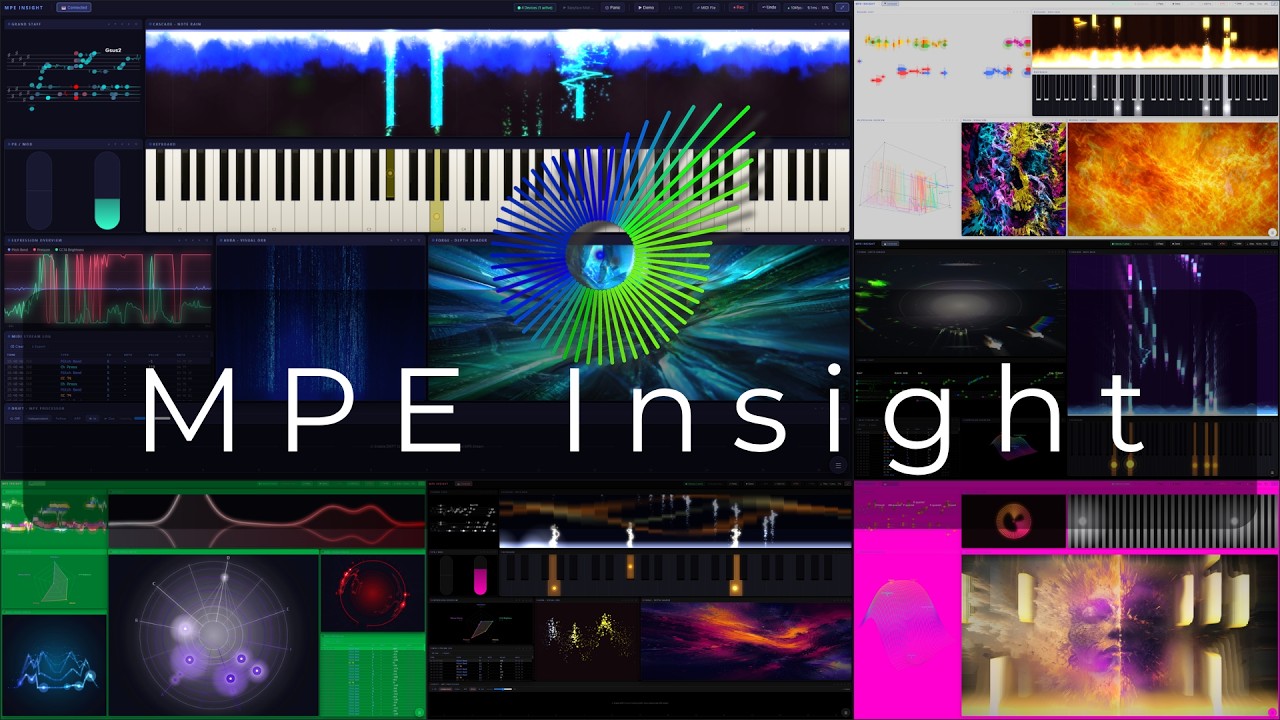
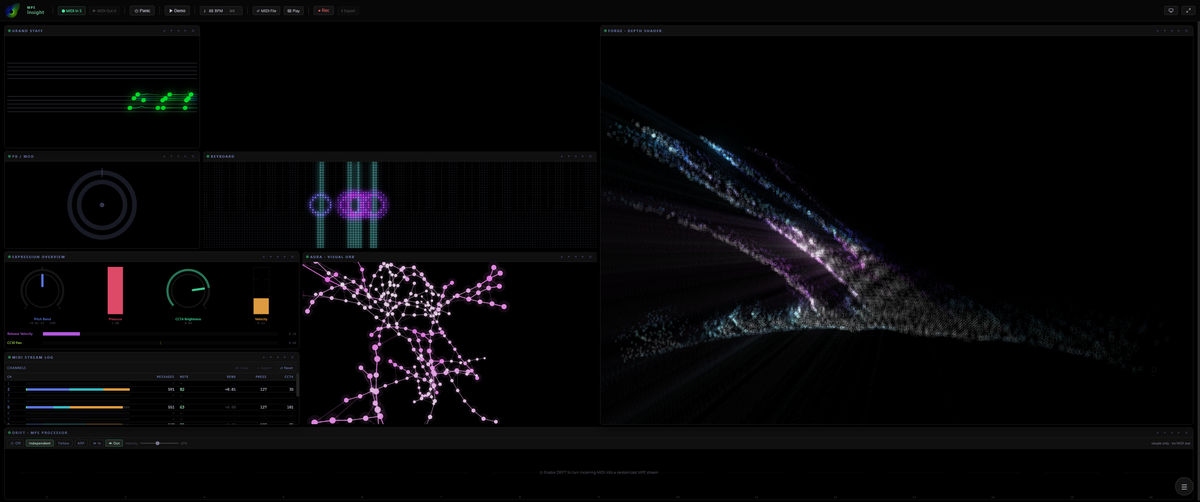
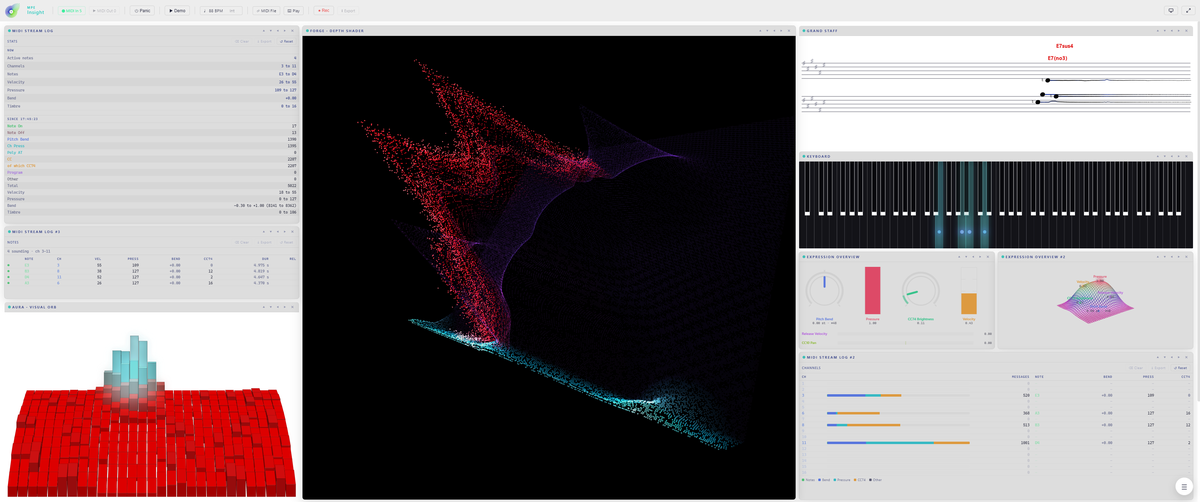
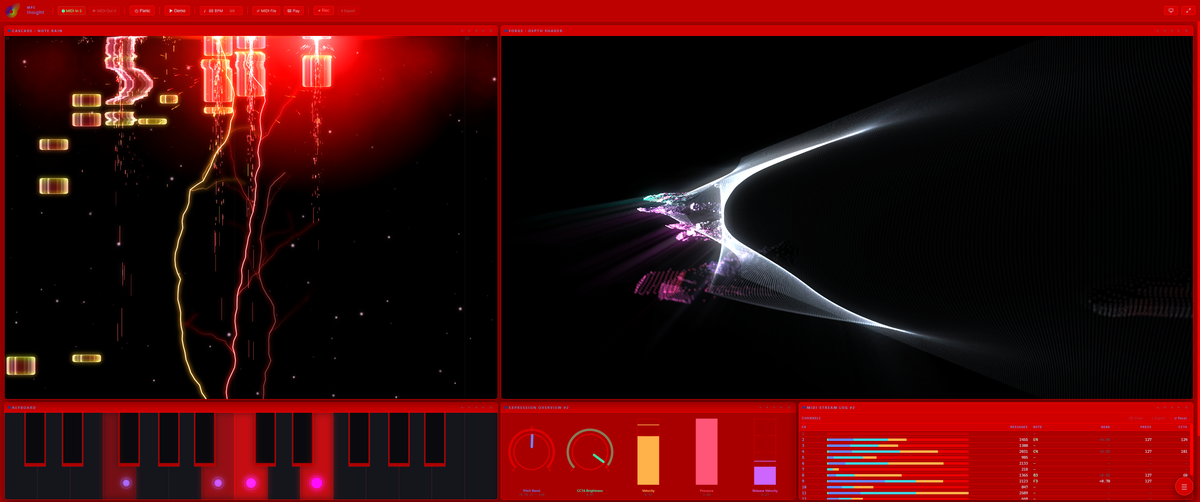
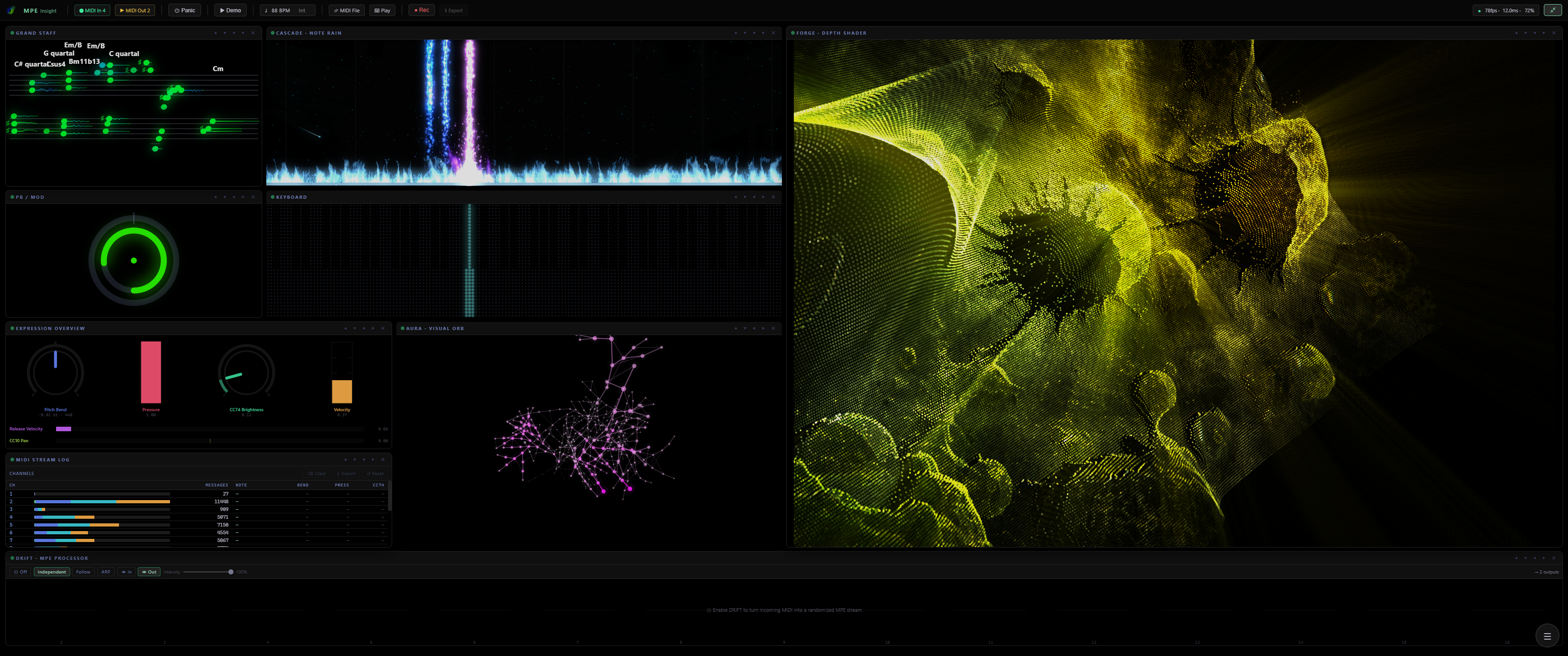
A modular workspace, not a fixed dashboard. This is the real MPE Insight interface. Drag, resize and stack nine modules into your own layout, or open the same one twice. Hover any module to see it live. Click to look inside.

MPE Insight full interface with all modules active

Hover a module to highlight it · click to exploreTap a module, or a name below, to explore

Controls & menus

00:03CC 74How it works

Watch the signal, module by module.

The animations below show what each module does with your playing: how pressure, pitch bend and slide are turned into something you can read.

Signal path

Everything you play enters one router. DRIFT is an optional insert: leave it off and the raw MIDI passes straight through, switch it on and the same note leaves as a full MPE stream. From there it drives the visual modules, your synth and the recorder, and the exported .mid can come back in for another pass.

DRIFT · MPE Processor

One plain note goes in. A bundle of MPE voices comes out and fans apart: octave layers, a full chord from a single key, an arpeggio, each voice carrying its own pitch bend and pressure. Scale Lock snaps the whole fan onto the key you chose.

CASCADE · Note Rain

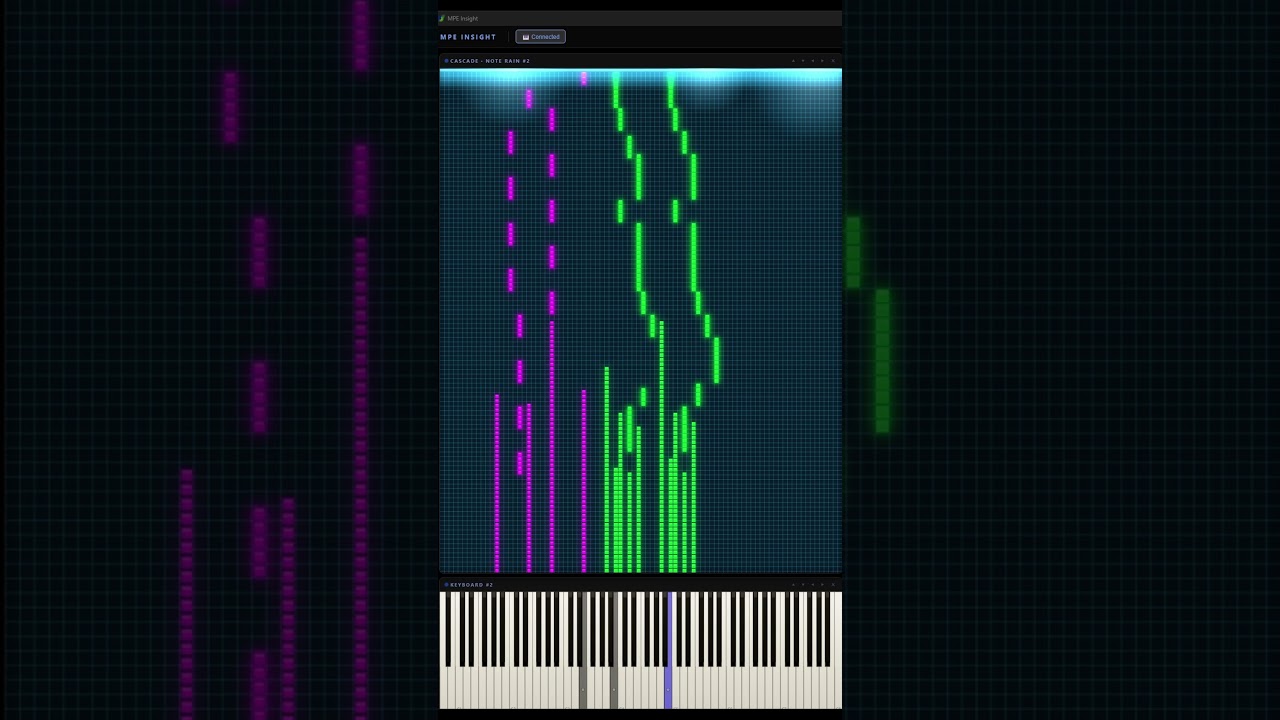
Notes rain toward the strike line and light the key they land on. Width follows velocity, colour follows pressure, and pitch bend drags each note sideways on the way down. Feed it live playing, a .mid file, or a picture turned into notes.

Keyboard

Pressure fills each key from the bottom like a level meter, CC74 draws a ring that pitch bend pushes off centre, and a split point gives the left hand its own colour.

Grand Staff

Four ways to read the same playing: only what you hold right now, a timeline that scrolls past, Flow, where every note becomes a ribbon whose length is its duration and whose curve is the bend, or Weave, where the staves give way to an interval field and every major chord is the same triangle in every key.

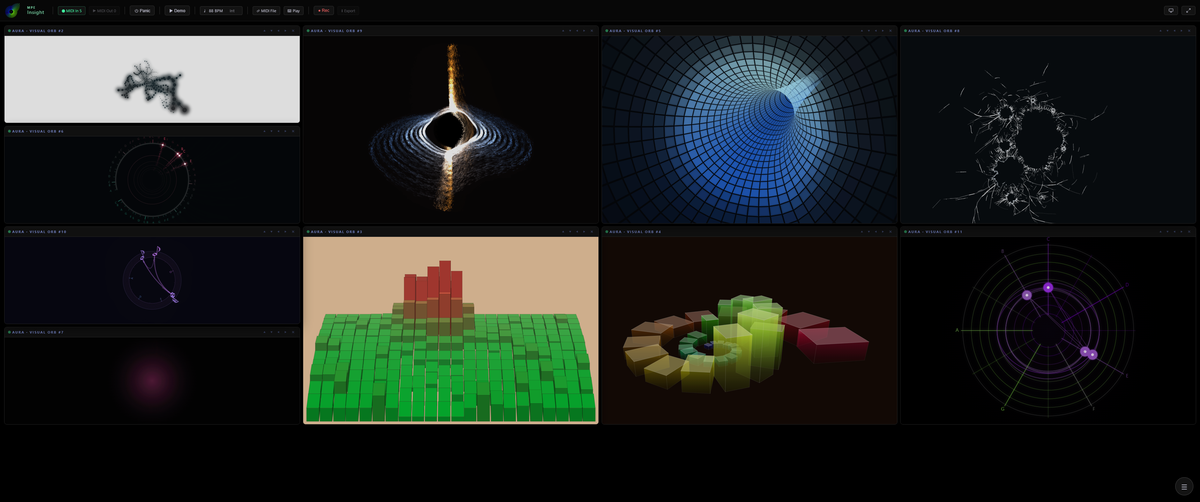
AURA · Visual Orb

An expression field rather than a readout. Twenty-one styles, from radial bars and rings to drifting particle clouds. Size, width and twist follow whichever MPE dimension you assign them.

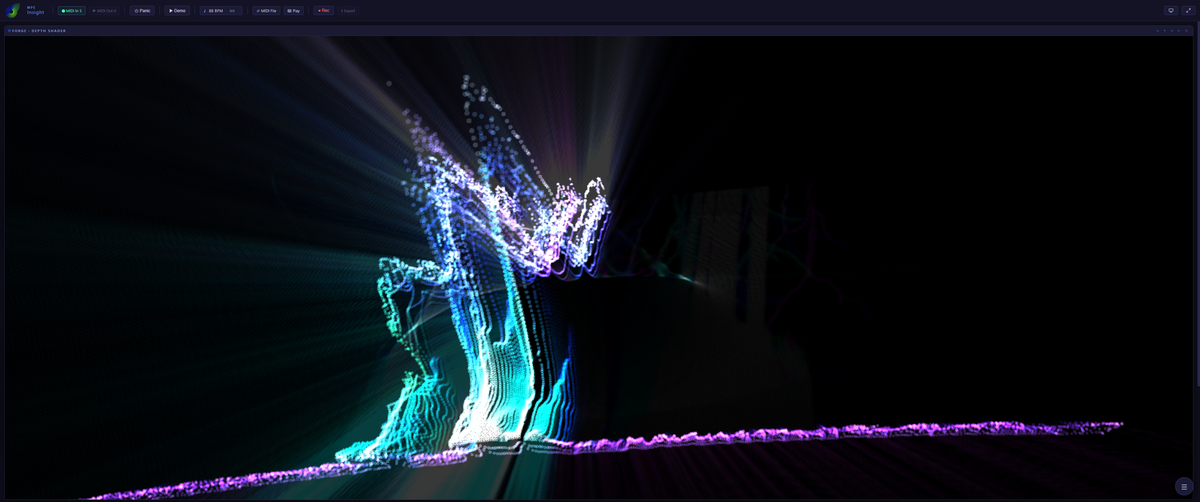
FORGE · Depth Shader

Your image, video or webcam becomes a shader that plays along. An AI depth map gives it real parallax instead of a flat filter, and other modules can be fed straight into it, alone or blended together. A music-driven Conductor can even direct the camera for you: bold when you play hard, calm when you ease off.

Expression Overview

Up to ten signal sources, four ways to look at them: a line chart over time, the same history lifted into a 3D box, a radar mesh of the current moment, or a 3D landscape where each source raises its own hill.

PB / Mod

The master channel at a glance: pitch bend rests in the middle and swings both ways, the mod wheel grows from the bottom. Shown as two sliders or as a radial dial.

MIDI Stream Log

Every incoming message as a row, newest first, colour coded by type. The raw truth behind the visuals, exportable as a .csv table.

T·01

GPU visual synthesis

Aura, CASCADE and FORGE render through WebGL and custom GLSL shaders, engineered for fluid, real-time performance.

T·02

AI depth estimation

FORGE runs Depth Anything V2 on any image you load: a real depth map for true parallax and relief, computed locally.

T·03

Live notation engine

Chord detection through 13th extensions, slash inversions included, engraved live and exportable as a paginated lead sheet.

T·04

MIDI I/O & clock

Multiple input devices, live MIDI output, MIDI Clock/BPM sync, plus tempo-aware MPE recording to MIDI and CSV.

T·05

Snapshots & MIDI Learn

Unlimited Global Snapshot playlists capture the whole app and flip hands-free via an assigned note, pedal or program change.

T·06

94 presets to start from

48 Aura looks, 20 CASCADE scenes and 26 FORGE scenes. Load one, then tweak and save your own.

Every module, every setting and every export format is spelled out in the documentation.

00:04Pitch BendSee everything

Five layouts, one instrument.

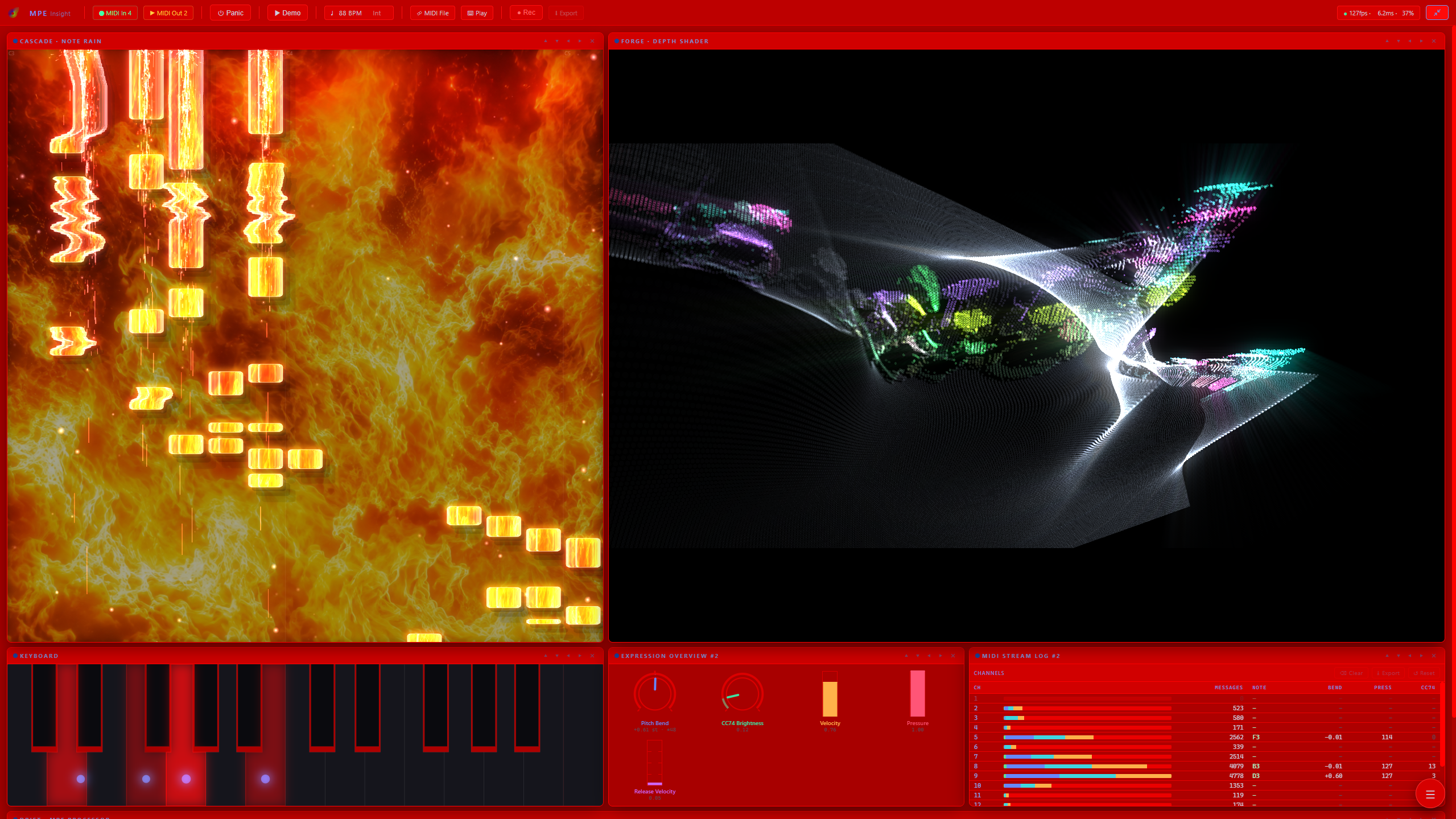
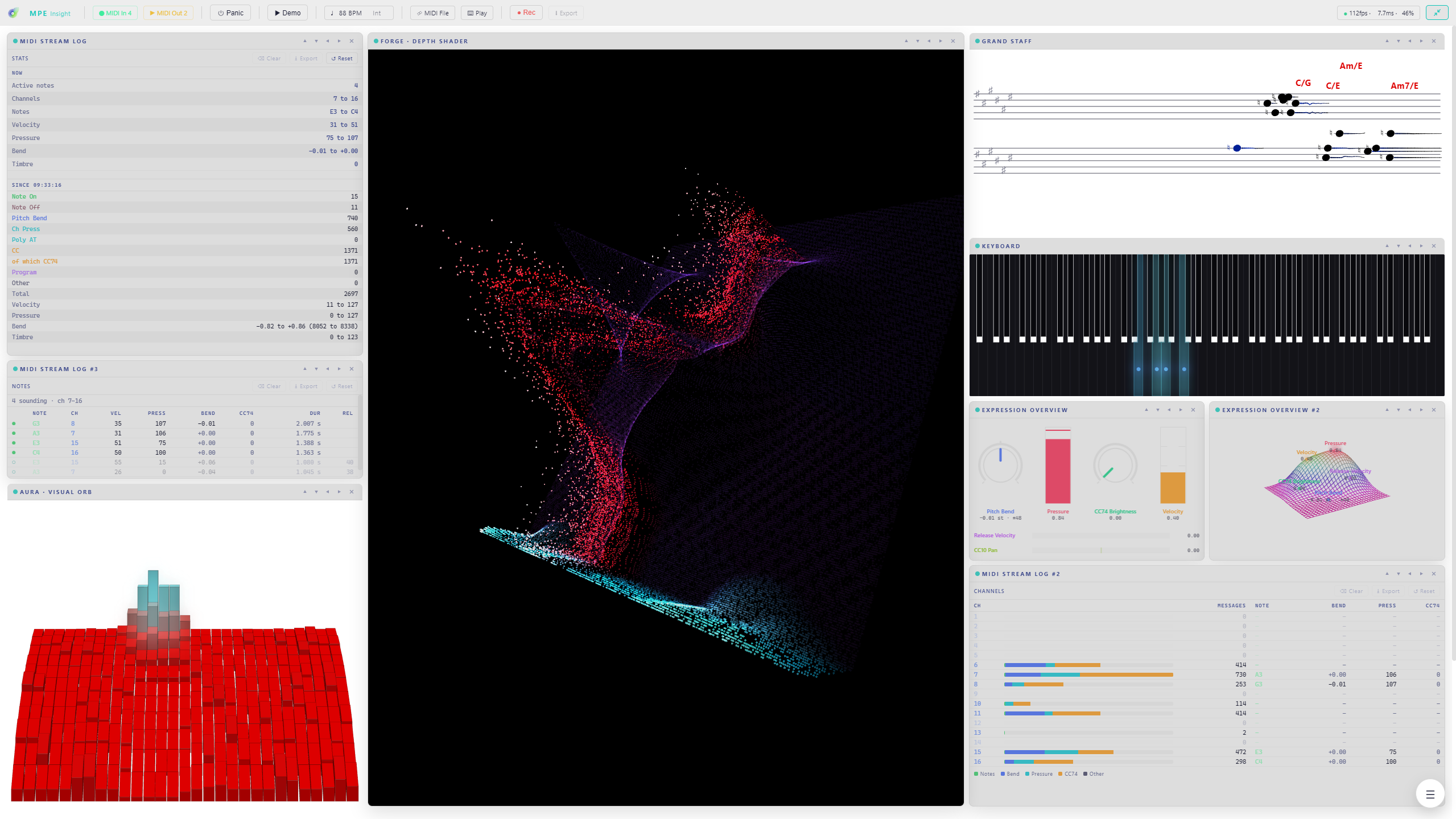
MPE Insight 2.1, played through real presets on the Expressive E Osmose: five workspace layouts showing how every module inspects notes, gestures and performance detail in real time for both MPE controllers and traditional MIDI.

MPE Insight 2.1 workspace showcase video thumbnail
This is MPE Insight 2.1

00:05Prog ChgGet it

One purchase, no subscription.

Pay once, download instantly, own it.

License Current version v2.0.0
MPE Insight
Windows Desktop App
34,99 €
one-time purchase · taxes calculated at checkout
Buy MPE Insight
or
Buy on Steam

Also on Steam, with automatic updates through your Steam library.

What you get

  • Instant download after purchase
  • Native Windows desktop application
  • Windows 10 & 11 · runs standalone, no DAW required
  • Runs on any modern GPU, a dedicated one is recommended for FORGE
  • Works with any MIDI keyboard, DRIFT turns plain MIDI into MPE
  • Built-in Demo Mode, try everything without a controller
  • Secure checkout with card & PayPal via Lemon Squeezy
Note for Windows

On first launch, Windows may show “Windows protected your PC”. That’s expected. MPE Insight is built by an independent developer and isn’t signed with a paid certificate. Nothing is wrong with the file.

  • 1Click More info
  • 2Then Run anyway

00:06ClockThe changelog

Watch it
evolve.

The latest updates with the clips that show them: new modules, new engines, new looks, straight from the build. The full history lives on YouTube.

Jul 2026 Update 2.3.0
The app explains itself now
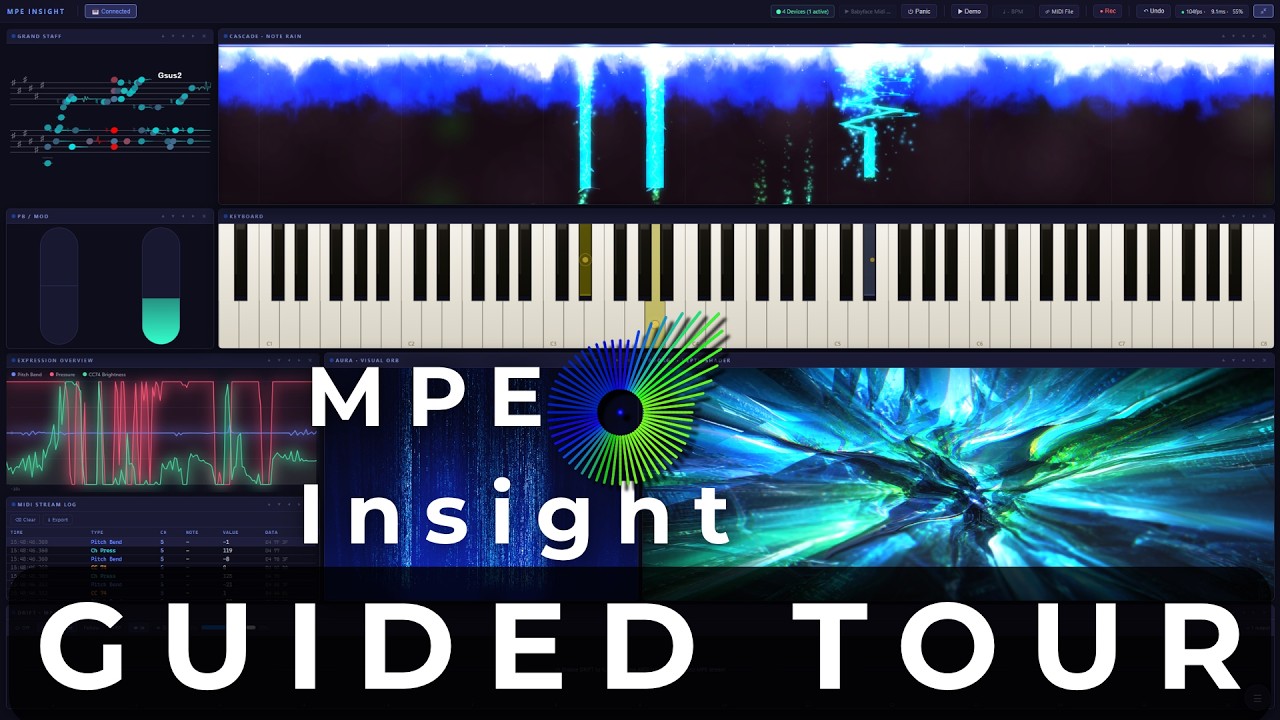
MPE Insight 2.3: a guided first launch, and a demo that shows the whole app

On first launch a short clickthrough walks the toolbar and all nine modules, one card each, with the module’s own animation playing next to it. It borrows Demo Mode so there is always something moving, and hands your layout back exactly as it was. Demo Mode itself now cycles the presets of FORGE and DRIFT too, so the whole app is on show and not just the six modules that were cycling before.

  • Guided Tour: 16 steps on first launch, replayable any time from About
  • Demo Mode shows everything: FORGE cycles its looks as soon as you give it a picture, DRIFT cycles its presets whenever the demo is what it is processing
  • Three new FORGE looks: Tape Deck, Heat Haze and Molten Core
  • DRIFT reaches further: the pitch LFO goes to two full semitones
  • Bends read true: the correct axis in every key, no fold at the edge of the wheel
↗ Watch on YouTube
Play in lightbox
2.2
Jul 2026 Update 2.2.0
Weave: read harmony as shape, in every key
MPE Insight 2.2: a new way to read harmony, and your instrument read correctly

The Grand Staff gains a fourth mode in which the staves give way to an interval field: one step right is a fifth, the diagonals are thirds, so every major chord becomes the same triangle in every key and transposing simply moves that shape. Alongside it, a new keyboard design, a new FORGE effect, and a quieter change that touches every module: MPE Insight now reads the pitch-bend range your instrument actually reports instead of assuming a standard.

  • Weave: the fourth Grand Staff mode, chords as geometry on an interval field
  • Pixel Grid: an eighth keyboard design, a lit LED raster in three layouts
  • Retro Pixel VHS: a new FORGE pass with scanlines, phosphor dots and chroma tear
  • Reads your instrument: every bend is drawn at its true size, from the range your controller reports
  • Chords played on a single MIDI channel now show correctly in every module
↗ Read the docs
Jul 2026 Update 2.1.0
Combine your modules: route any visualizer into FORGE
MPE Insight 2.1: feed your visualizers into FORGE

2.1.0 connects the modules: pipe Cascade, Aura, the Grand Staff, Expression or the Keyboard straight into FORGE, one at a time or blended together, and reshape them with FORGE’s full effect chain.

  • Any module as a source: Cascade, Aura, Grand Staff, Expression and Keyboard now feed FORGE
  • Single feed or multi-source blend: layer several visualizers into one composited look
  • Drive the whole chain live with velocity, pitch bend and pressure
↗ Watch on YouTube
Play in lightbox
Jul 2026 Update 2.0.0
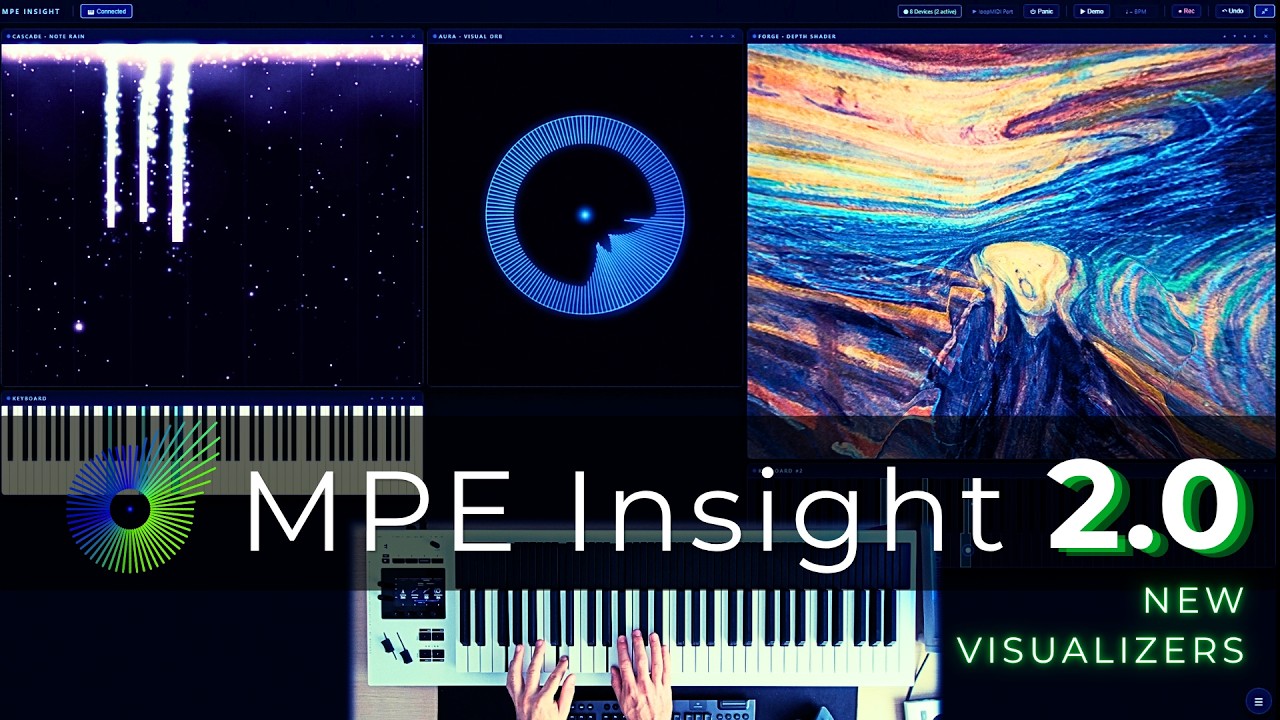
The three new visualizers: Cascade, Aura & Forge
MPE Insight 2.0: the new visualizers, explained

A two-minute tour of the three new visualizers in Update 2.0.0, plus the Transparent Background mode that lets you stack them into one image.

  • Cascade: a piano roll unlike any other, visualizing expressive MPE data in real time
  • Aura: one gesture, endless looks, from calm and organic to fully abstract
  • Forge: drop in your own image and drive it live with velocity, pitch bend and pressure
  • Transparent Background: stack Cascade, Aura and Forge on top of each other for wild, one-of-a-kind combinations
↗ Watch on YouTube
Play in lightbox
Jul 2026 Update 2.0.0
Cascade module: new Grid Mode
MPE Insight 2.0 · Cascade Grid Mode 🎵

The new Grid Mode has arrived in the Cascade module of MPE Insight 2.0.

  • A falling-block inspired layout for the Cascade module
  • … and yes, it only felt right to play that iconic melody 🎹
↗ Watch on YouTube
Play in lightbox