Real-time MPE visual synthesis · Windows & macOS

Your expression. Rendered live.

Every finger sends its own continuous stream of pressure, pitch bend and slide. That's MPE, MIDI Polyphonic Expression. MPE Insight turns that data into visual architecture the moment you play.

Works with any MIDI keyboard: the built-in DRIFT processor turns plain MIDI into full MPE. No keyboard either? Typing Keys plays it from your computer keys, and Demo Mode explores every module without hardware.

00:00StartOfficial Trailer

MPE Insight,
in motion.

MPE Insight Official Trailer video thumbnail
MPE Insight | Official Trailer
Any MIDI keyboardROLI SeaboardLinnStrument Expressive E OsmoseHaken ContinuumSensel Morph JouéAbleton Push 3Ableton Push 2 ROLI AirwaveMPE optional, DRIFT makes plain MIDI expressive Any class-compliant MIDI deviceOr no controller at all: type on your computer keyboard

00:01Note OnThe idea

More than a visualizer. A performance environment where sound and image share the same expressive source.

MPE (MIDI Polyphonic Expression) gives every note its own channel. Five continuous dimensions per finger, dozens of times a second. Most software throws that data away. MPE Insight is built around it.

Nine modules read the same live stream at once: live notation, a full MIDI monitor, expression analysis, three generative visual engines and the DRIFT processor. Play hard and the image hardens. Slide, and it bends with you. Nothing is pre-rendered. Nothing loops. It is your playing, drawn.

Built by a musician, for musicians: the machine doesn't play for you. It makes your playing visible.

0Modules, one canvas
0Visual engines in combination
0Dimensions per note
0Rendering styles in AURA alone

00:02Ch PressThe instrument

One canvas.
Every module.

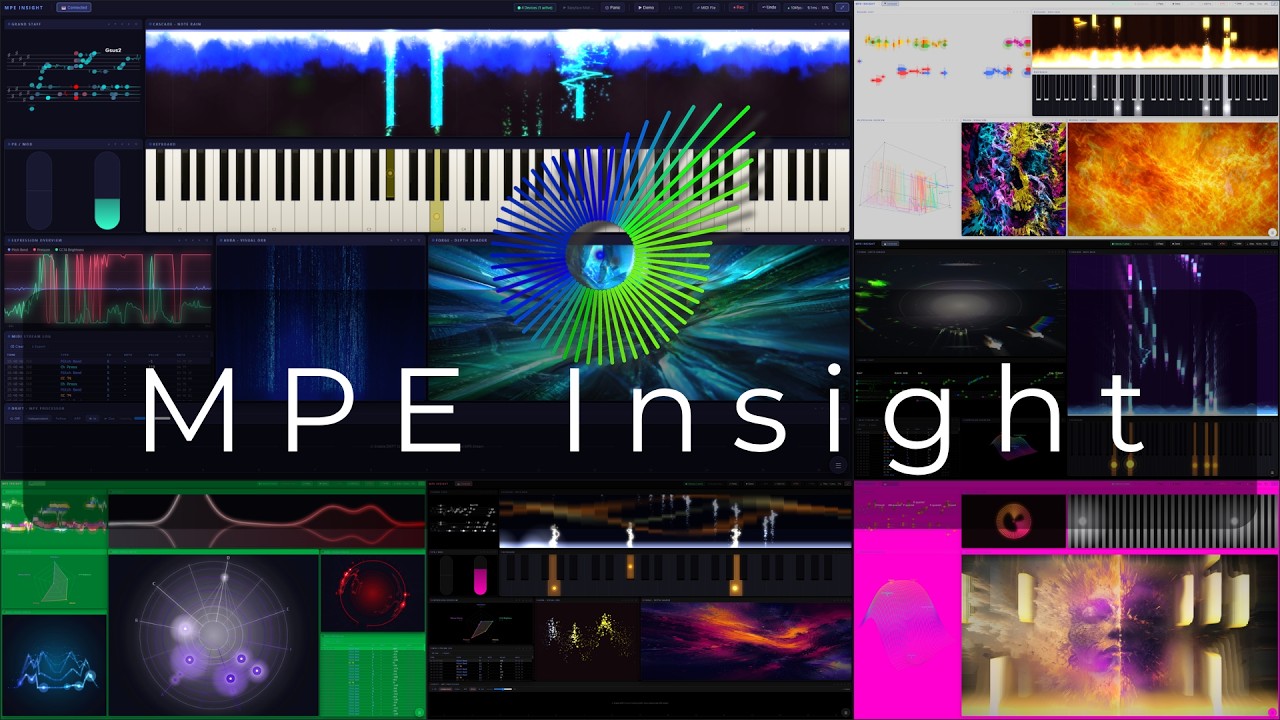
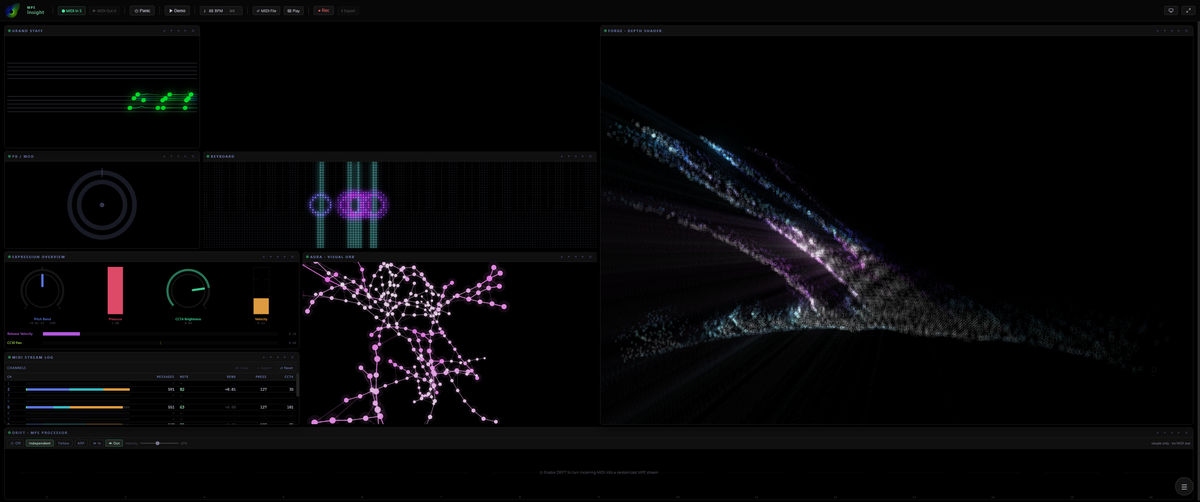
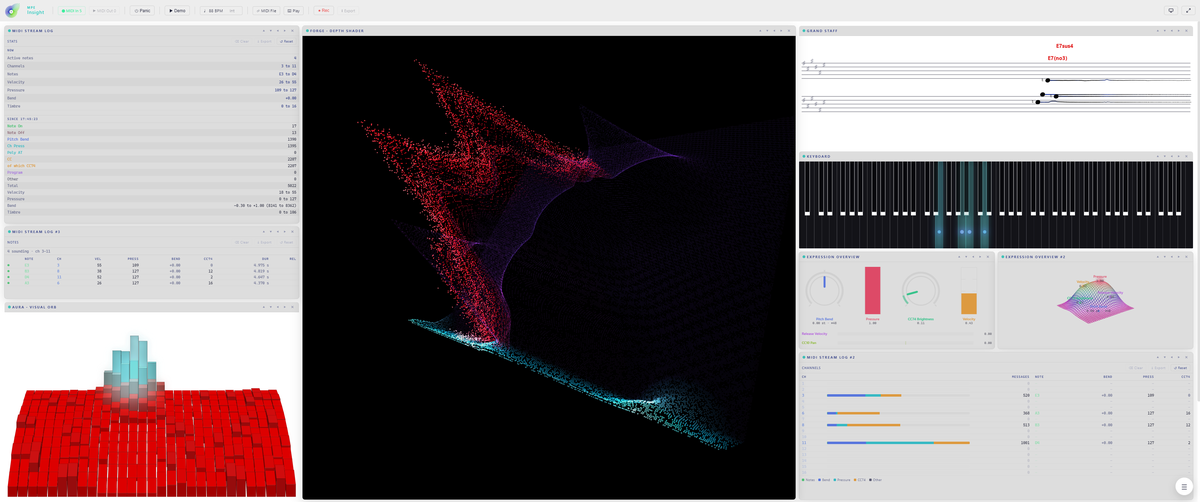
A modular workspace, not a fixed dashboard. This is the real MPE Insight interface. Drag, resize and stack nine modules into your own layout, or open the same one twice. Hover any module to see it live. Click to look inside.

MPE Insight full interface with all modules active

Hover a module to highlight it · click to exploreTap a module, or a name below, to explore

Controls & menus

00:03CC 74How it works

Watch the signal, module by module.

The animations below show what each module does with your playing: how pressure, pitch bend and slide are turned into something you can read.

Signal path

Everything you play enters one router. DRIFT is an optional insert: leave it off and the raw MIDI passes straight through, switch it on and the same note leaves as a full MPE stream. From there it drives the visual modules, your synth and the MPE recorder, and the exported .mid can come back in for another pass.

DRIFT · MPE Processor

One plain note goes in. A bundle of MPE voices comes out and fans apart: octave layers, a full chord from a single key, an arpeggio, each voice carrying its own pitch bend and pressure. Scale Lock snaps the whole fan onto the key you chose.

CASCADE · Note Rain

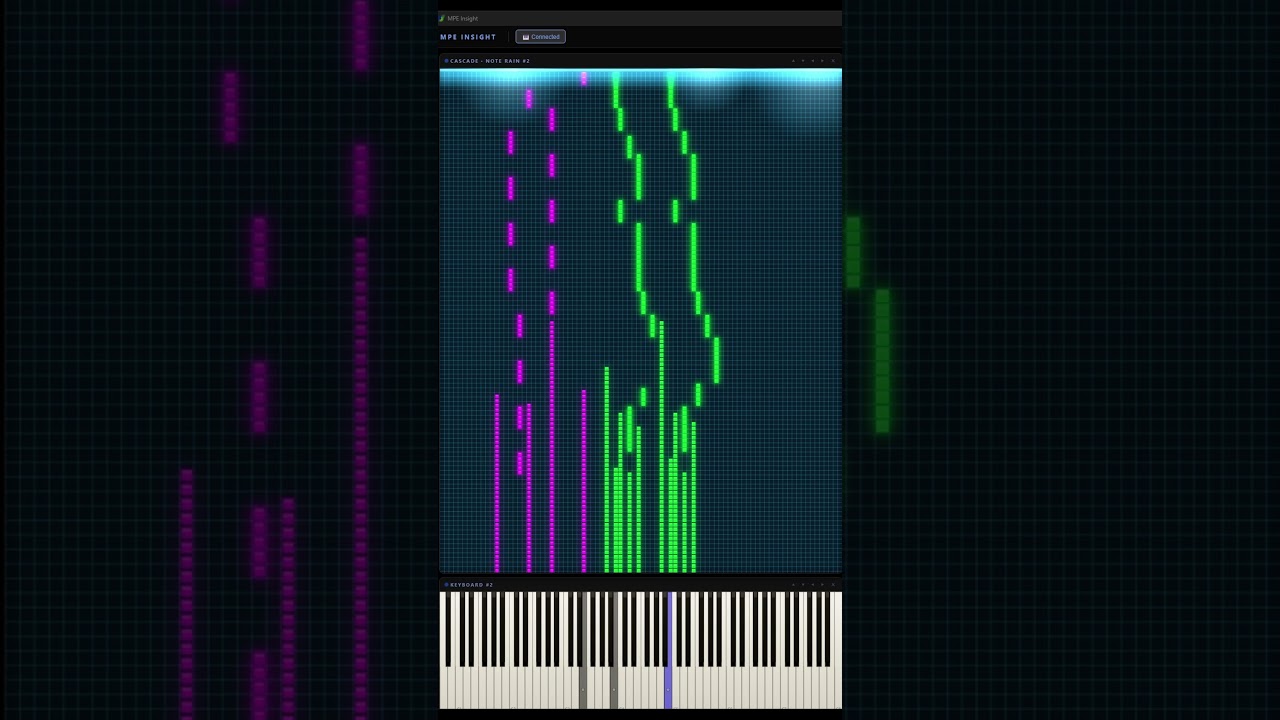
Notes rain toward the strike line and light the key they land on. Width follows velocity, colour follows pressure, and pitch bend drags each note sideways on the way down. Feed it live playing, a .mid file, or a picture turned into notes.

Keyboard

Pressure fills each key from the bottom like a level meter, CC74 draws a ring that pitch bend pushes off centre, and a split point gives the left hand its own colour. With Typing Keys armed it also prints your own keycaps onto the keys they play.

Grand Staff

Five ways to read the same playing: only what you hold right now, a timeline that scrolls past, Flow, where every note becomes a ribbon whose length is its duration and whose curve is the bend, Weave, where the staves give way to an interval field and every major chord is the same triangle in every key, or Tab, the same performance on six string lines as guitar tablature.

AURA · Visual Orb

An expression field rather than a readout. Twenty-seven styles, from radial bars and rings to drifting particle clouds. Size, width and twist follow whichever MPE dimension you assign them.

FORGE · Depth Shader

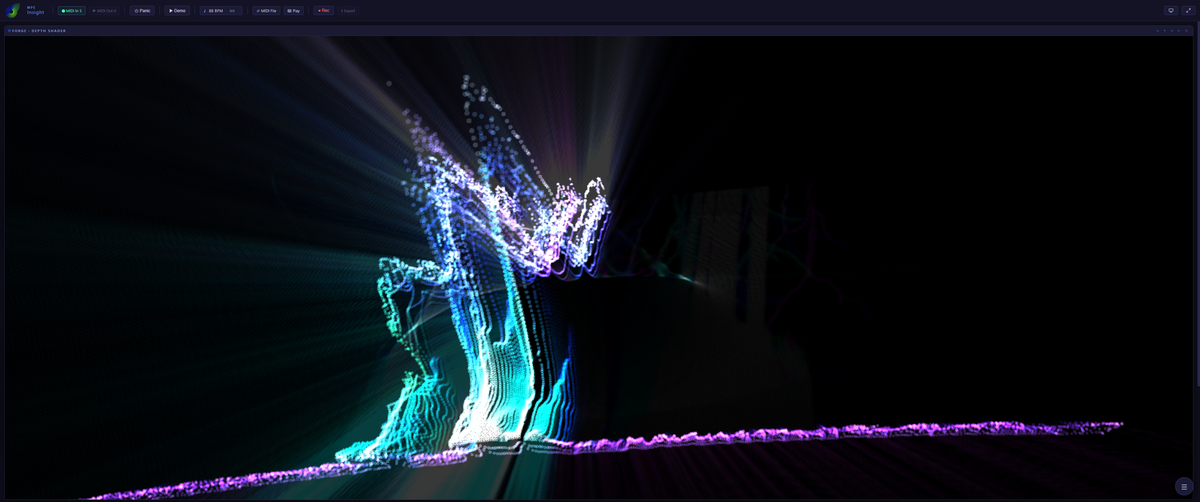
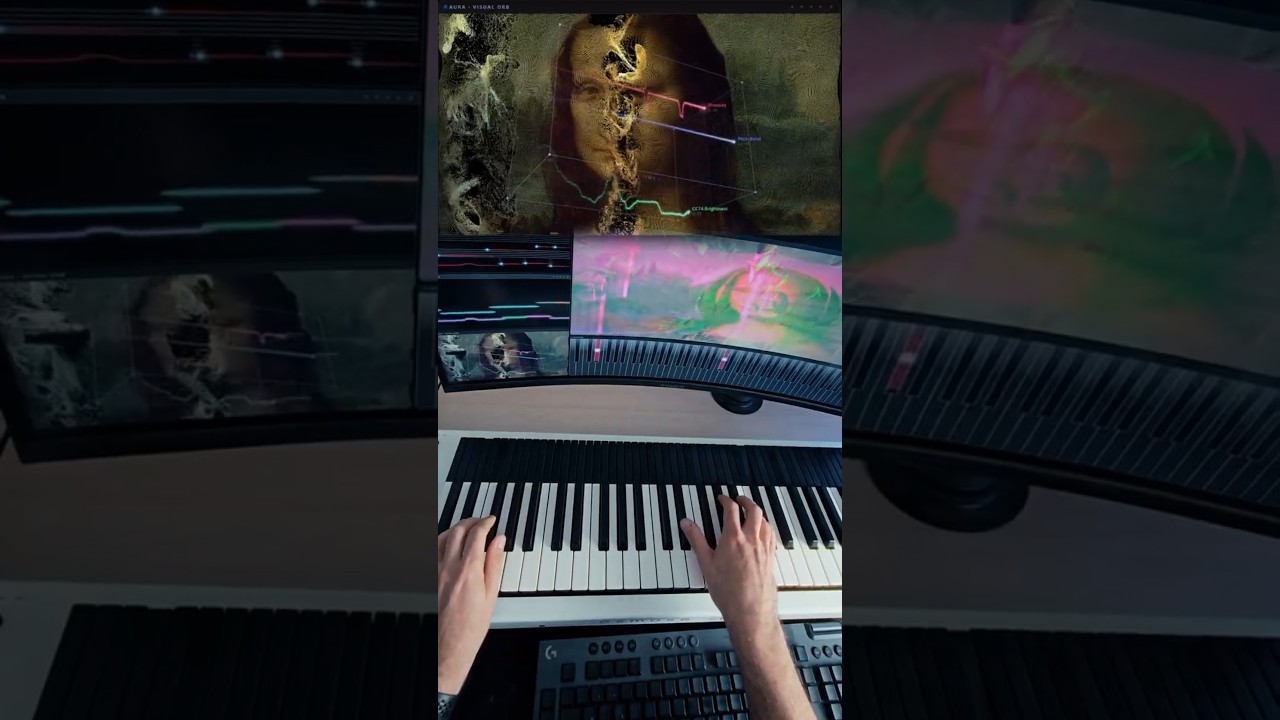
Your image, video or webcam becomes a shader that plays along. An AI depth map gives it real parallax instead of a flat filter, and other modules can be fed straight into it, alone or blended together. Or let the picture come apart: into a cloud of points you fly through and spin, or into a grid of cells drawn as ASCII, halftone or dither. A music-driven Conductor can even direct the camera for you, bold when you play hard, calm when you ease off, and MIDI Learn puts that Conductor on a pedal.

Expression Overview

Up to ten signal sources, five ways to look at them: a line chart over time, the same history lifted into a 3D box, a radar mesh of the current moment, a 3D landscape where each source raises its own hill, or a rack where every source becomes the piece of studio gear you would read it on.

PB / Mod

The master channel at a glance: pitch bend rests in the middle and swings both ways, the mod wheel grows from the bottom. Shown as two sliders, as a radial dial, or as an Expression Pad of tilting rings that plays pressure and timbre back with the mouse.

MIDI Stream Log

Every incoming message as a row, newest first, colour coded by type. The raw truth behind the visuals, exportable as a .csv table, and four more views of the same stream: a voice journal, a breakdown per channel, the counts, and a tracker column.

T·01

GPU visual synthesis

Aura, CASCADE and FORGE render through WebGL and custom GLSL shaders, engineered for fluid, real-time performance.

T·02

AI depth estimation

FORGE runs Depth Anything V2 on any image you load: a real depth map for true parallax and relief, computed locally.

T·03

Live notation engine

Chord detection through 13th extensions, slash inversions included, engraved live and exportable as a paginated lead sheet.

T·04

MIDI I/O & clock

Multiple input devices, live MIDI output, MIDI Clock/BPM sync, a sustain pedal read as a switch or a continuous half-pedal, plus tempo-aware MPE recording to MIDI and CSV.

T·05

Snapshots & MIDI Learn

Unlimited Global Snapshot playlists capture the whole app and flip hands-free via an assigned note, pedal or program change. Drag a row to reorder it, and export just the ones you mark. MIDI Learn reaches past the playlist and now drives the FORGE Conductor live, no mouse required.

T·06

Presets are starting points, not a library

Every AURA style opens on two of them, with the MPE Insight signature at the top of the list, and CASCADE and FORGE bring their own scenes. Every other module has a set too. Load one, change anything, save it as yours. How many there are matters less than the fact that nothing in them is fixed.

Every module, every setting and every export format is spelled out in the documentation.

00:04Pitch BendSee everything

Nine sounds, one take.

A live session through nine curated presets of Expressive E’s Noisy 2, with a new sound and a new visual setup every thirty seconds. AURA, CASCADE and FORGE run side by side, DRIFT turns an ordinary MIDI keyboard expressive, and every frame you see is driven by the performance in real time. Nothing is animated in post.

Highly recommended for anyone interested in expressive MIDI!

fooostSteam

No bugs so far either. Everything runs super smooth and performs really well.

PusteblumeSteam

Great piece of software to play around with.

DucksMilkSteam

This is worth every penny, and pulls together what several paid apps attempt to do all in one nice package.

GooseSteam

A Gem for MPE and MIDI users.

chw1379865App Store

The visuals are beautiful, responsive and make expressive playing much more tangible.

JeeSteam

I mostly use MPE Insight with a regular keyboard and mouse … it’s honestly pretty fun to mess around with.

SmuSmaSteam

00:05Bank SelWhich one

Three tools. One is yours.

They share one engine and one idea, and each is built for a different desk. Pick by what you want to do with it.

You want to MPE Drift For your DAW Plugin · CLAP & VST3 · Windows
24,99 € · seven day trial
Open MPE Drift
MPE Keys For your screen App · Windows & macOS
14,99 €
Open MPE Keys
MPE Insight For the whole picture App · Windows & macOS
34,99 €
Get it
Play an ordinary MIDI keyboard and get MPE out
Octave layers, a chord machine and an arpeggiator
Run it inside your DAW as a plugin
Run it on its own, no DAW needed
See the Keyboard, wheels and Grand Staff on screen
AURA, FORGE, CASCADE and the MIDI Stream Log
Record a take and export it as .mid
Play with no controller at all: Typing Keys and Mouse Mode

MPE Drift is the DRIFT module of MPE Insight, extracted into a plugin around the same engine. MPE Keys is the Keyboard, PB / Mod and Grand Staff of MPE Insight as an app of their own. Each one is complete by itself, and none of them needs the others.

00:06Prog ChgGet it

One purchase, no subscription.

Pay once, download instantly, own it.

License
MPE Insight
Desktop App · Windows & macOS
34,99 €
price incl. VAT

What you get

  • Instant download after purchase
  • Native desktop application, not a plugin
  • Windows 10 version 1803 or later, or Windows 11, 64-bit, or macOS 12 or later on Apple silicon. On Windows the app runs on WebView2, which is pre-installed on all modern systems and is where the 1803 floor comes from. The macOS build is Apple silicon only, Intel Macs are not supported
  • Runs standalone, no DAW required
  • Runs on any modern GPU, a dedicated one is recommended for FORGE
  • Works with any MIDI keyboard, DRIFT turns plain MIDI into MPE
  • Playable with no controller at all: Typing Keys, Mouse Mode and a built-in Demo Mode
  • Secure checkout with card & PayPal via Lemon Squeezy
Note for the Windows download

On first launch, Windows may show “Windows protected your PC”. That’s expected. MPE Insight is built by an independent developer and isn’t signed with a paid certificate. Nothing is wrong with the file.

  • 1Click More info
  • 2Then Run anyway

00:07ClockThe changelog

Watch it
evolve.

The latest updates with the clips that show them: new modules, new engines, new looks, straight from the build. The full history lives on YouTube.

Sep 2026
Your playing presses computer keys
Hotkeys goes the other way round to the typing keys, and it lands in both apps at once

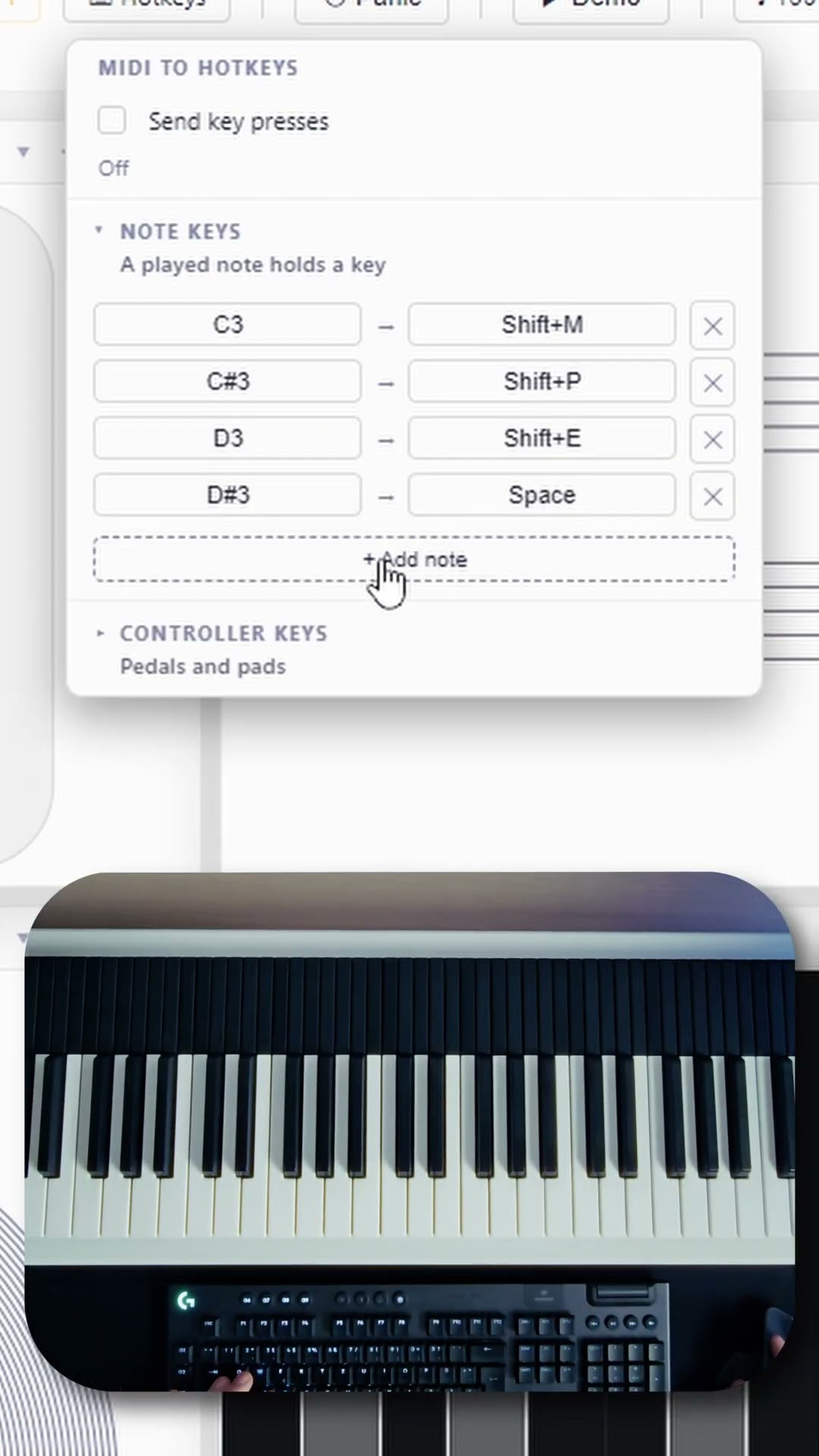
Hotkeys works the other way around to the typing keys. Instead of your computer keyboard playing the app, your playing presses real computer keys in whatever app is in front, so a note or a pedal can reach the software you record, stream or perform with. MPE Keys carries the same panel from the same build, so both apps gain it on the same day.

The Hotkeys panel open in the toolbar: a note list mapping C3 to J, C sharp 3 to K and D3 to a Shift combination, a controller list mapping CC 1 to U, and beside it the typing keys diagram that lays the computer keyboard out as two manuals.
Hotkeys in the toolbar: notes and controllers, each with its own list.
  • Two lists, two clicks: notes and controllers are kept apart, and a row is made with Learn, which picks up the next thing you play, and Set Key, which picks up the next key you press, modifiers included
  • A note holds its key for as long as it sounds, and a continuous pedal counts as pressed from halfway down
  • Only your own hardware fires it: never the typing keys, Mouse Mode, the file player or Demo Mode, and only while another app is in front, so it can never type into this one
  • Both apps, one build: MPE Keys gains the same panel, so the pair stays level
  • On macOS you grant it once: add the app under Privacy and Security, then Accessibility, with the plus button, and start it again. The switch is off after every start
↗ Watch the short
Play in lightbox
Sep 2026
One DRIFT everywhere, and a tuning of your own
DRIFT in the window is now the plugin, lane for lane, and the instrument plays a tuning of your own

DRIFT in the window is now the plugin, lane for lane. Five lanes you point at Pitch, Pressure or any continuous CC, each with its own shape and phase relationship, free in Hz or locked to the transport, plus strum, ratchet, scale drift and 24 factory presets. The PB / Mod tile learns a third style, the Expression Pad, a stack of tilting rings played with the mouse that sends real channel pressure and CC74 to every sounding note. The Microtonal design plays a tuning of your own: just intonation, any number of equal steps, or a Scala .scl file you load, and the tuning leaves the app, so your synth follows. The Grand Staff lets you choose how it writes: note labels as names, degrees or sol-fa, chord labels as symbols, Roman numerals or figured bass, round noteheads or the seven shape notes, and a guitar or ukulele fingering above the chord. The Stream Log gains a fifth view, Tracker, and a loaded .mid file brings its time signature, key signature and lyrics with it.

  • DRIFT in the window is the plugin: the tile carries the plugin window’s order, a trail memory on every channel, ghost lines for a pedal or wheel with no sounding voice, a scope timeline per note, and 24 factory presets in five groups: Keys, Pads, Chords, Arp and FX
  • Strum, ratchet and scale drift in the engine: a chord keeps its build while it drifts, every lane has its own start point and phase, and the sync divisions reach from 16/4 down to 1/64
  • The Expression Pad, the PB / Mod tile’s third style: tilting rings under the mouse that send real channel pressure and CC74 to every sounding note, with the zone value as a floor under them
  • A tuning of your own: just intonation, any number of equal steps from 2 to 96, or a Scala .scl file you load, with a gauge on every key reading its offset in cents. The tuning leaves the app, so your synth follows
  • The Grand Staff writes it your way: names, degrees or sol-fa on the notes, symbols, Roman numerals or figured bass on the chords, round noteheads or the seven shape notes, and a guitar or ukulele fingering drawn above the chord
  • Tracker, the Stream Log’s fifth view, and a loaded .mid file brings its time signature, key signature and lyrics with it
  • One clock for bars and notation: bar lines in live play, one zero point and one bar length shared by the clock, the sheet and the recorder
  • A new look: the app starts black and gray like its Drift sibling, and the measured logo green is the second signal color, the one that says this is on
  • Faster first start: the depth estimator loads with its first real use instead of at boot
  • And the fine print: a device bend on channel 1 is the zone wheel and is drawn as its two semitones everywhere, the mouse strike takes its velocity from the pressure lever, a continuous pedal’s sensor flutter is not read as a gesture, and Panic also clears the microtonal detune
Sep 2026
Smoke, glass and a black hole
MPE Insight 2.7: three new AURA styles built on real physics, and a bend wheel that finally moves the whole picture

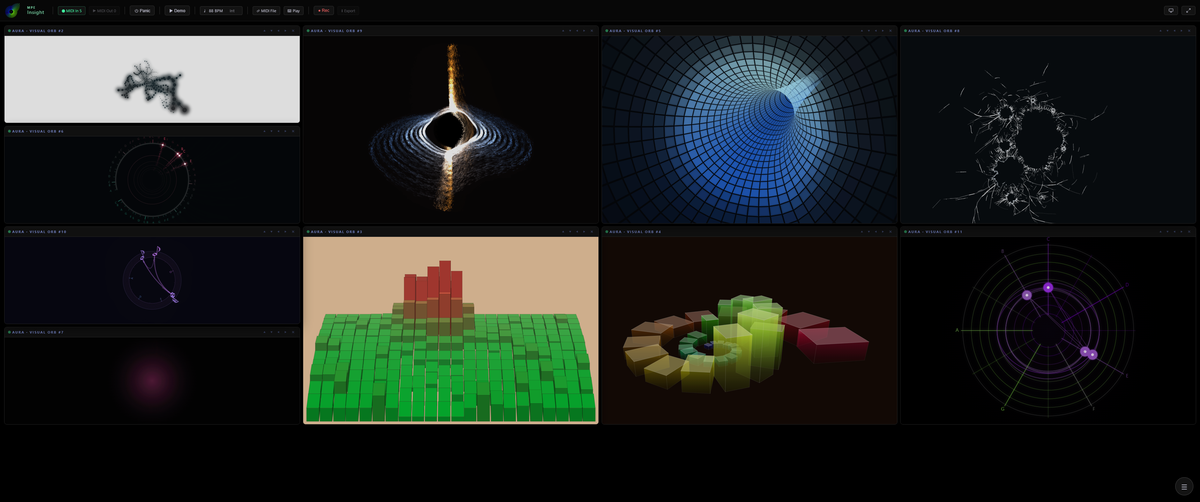
AURA gains three new styles, and Tunnel was rebuilt from the ground up. Smoke breathes a fine ribbon out of every note’s pitch column on a real fluid simulation rather than particles, and every held key turns its own vortex: press harder and it spins faster, open the timbre and it grows wider, let go and the room collapses back the way it was pushed out. Shatter is a sheet of glass with a memory, where every note is a knock, every knock opens one more stage of the break, and the cracks never heal. Black Hole hangs two discs of orbiting streams around a pure black horizon and lets a bend bow the inner streams around the body. And Tunnel is new work under an old name: a flight through a tiled tube of light with no end in sight, curving away mid frame and leaving through the edge. Away from AURA, the bend wheel finally moves everything, the app can leave its own frame, and DRIFT was rebuilt around five lanes.

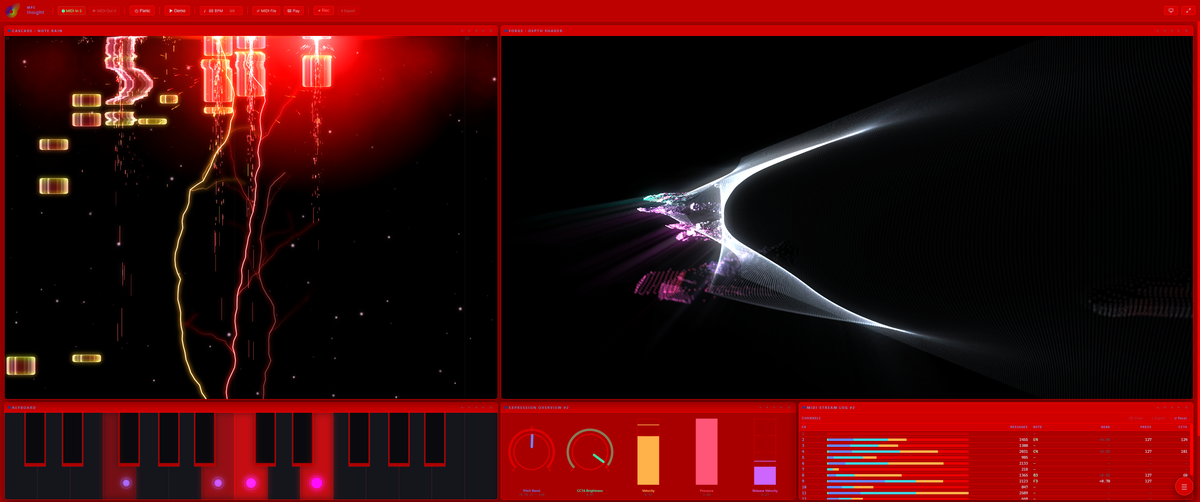
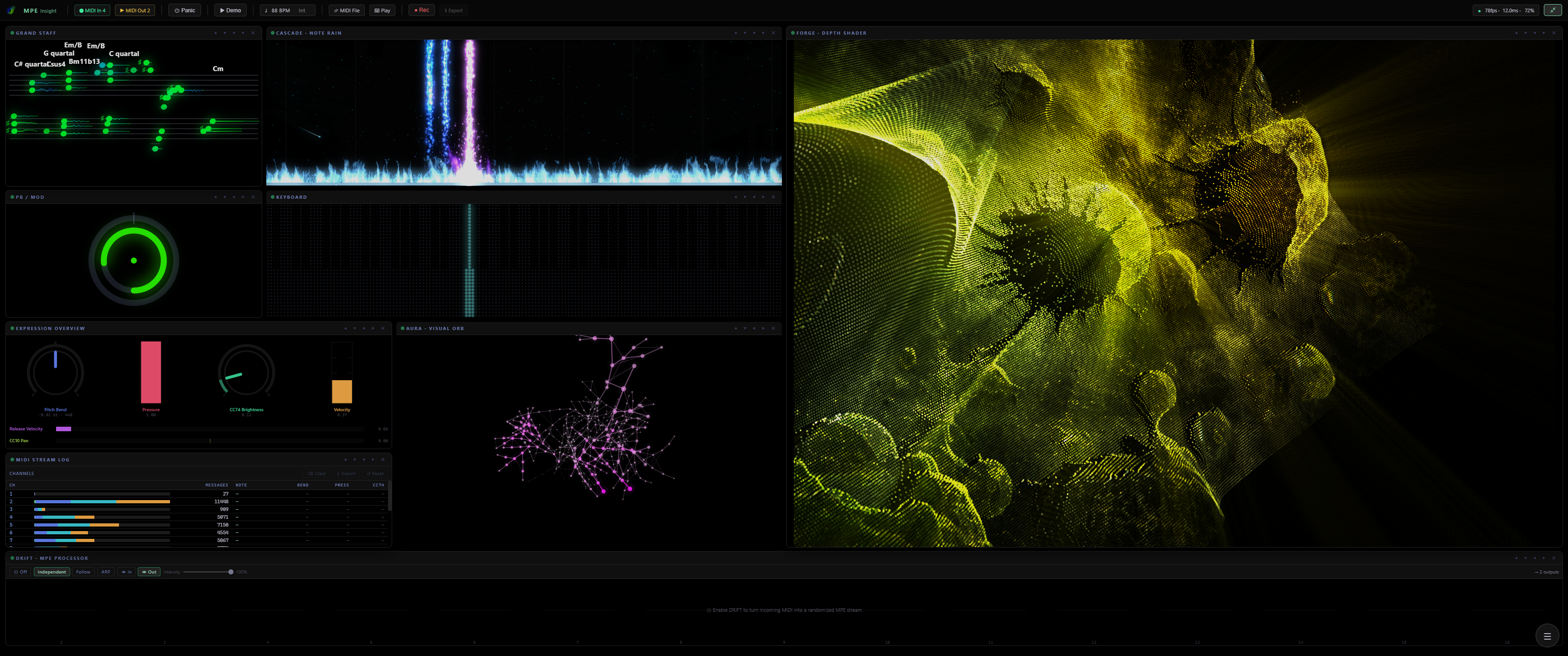
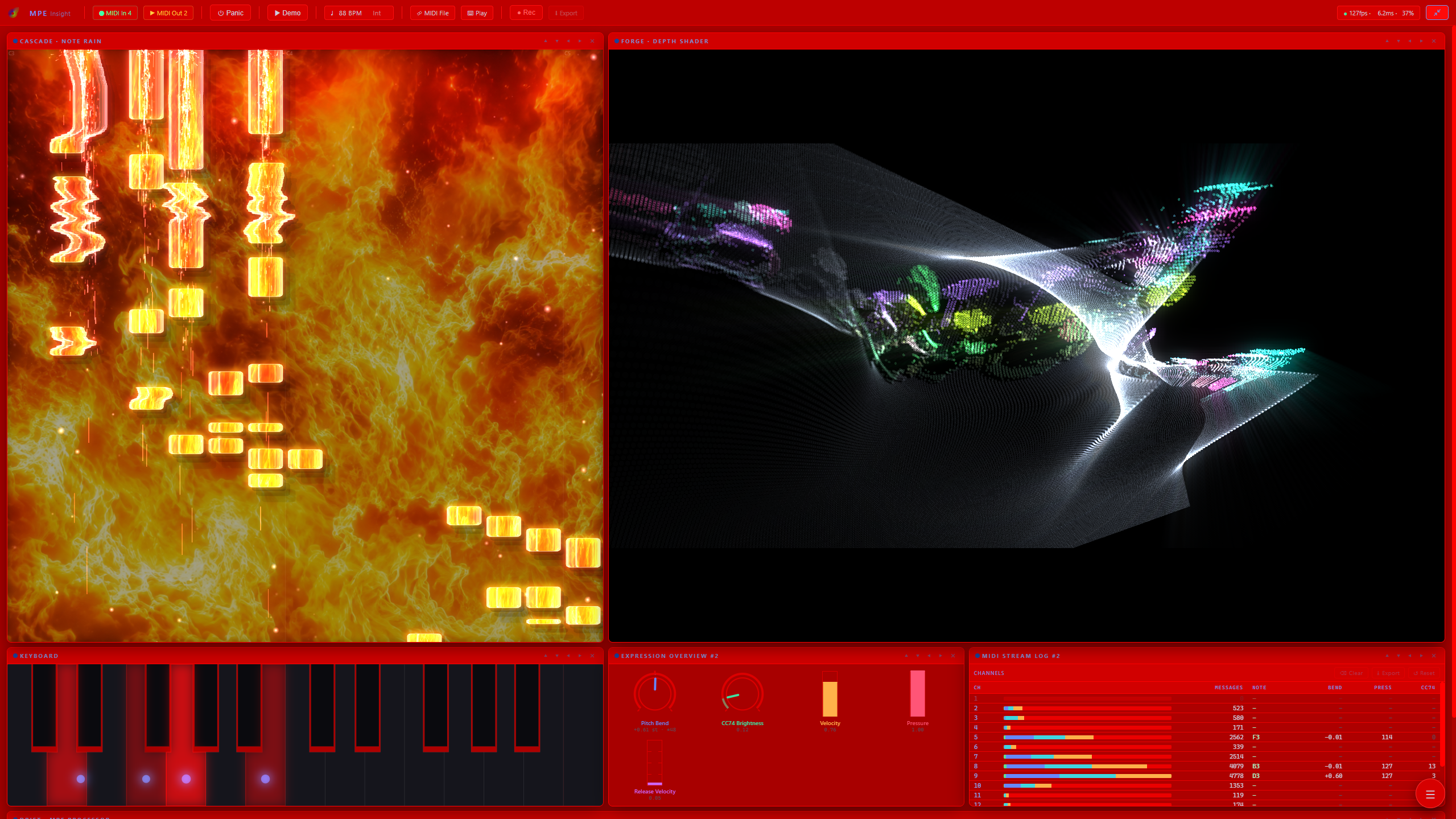
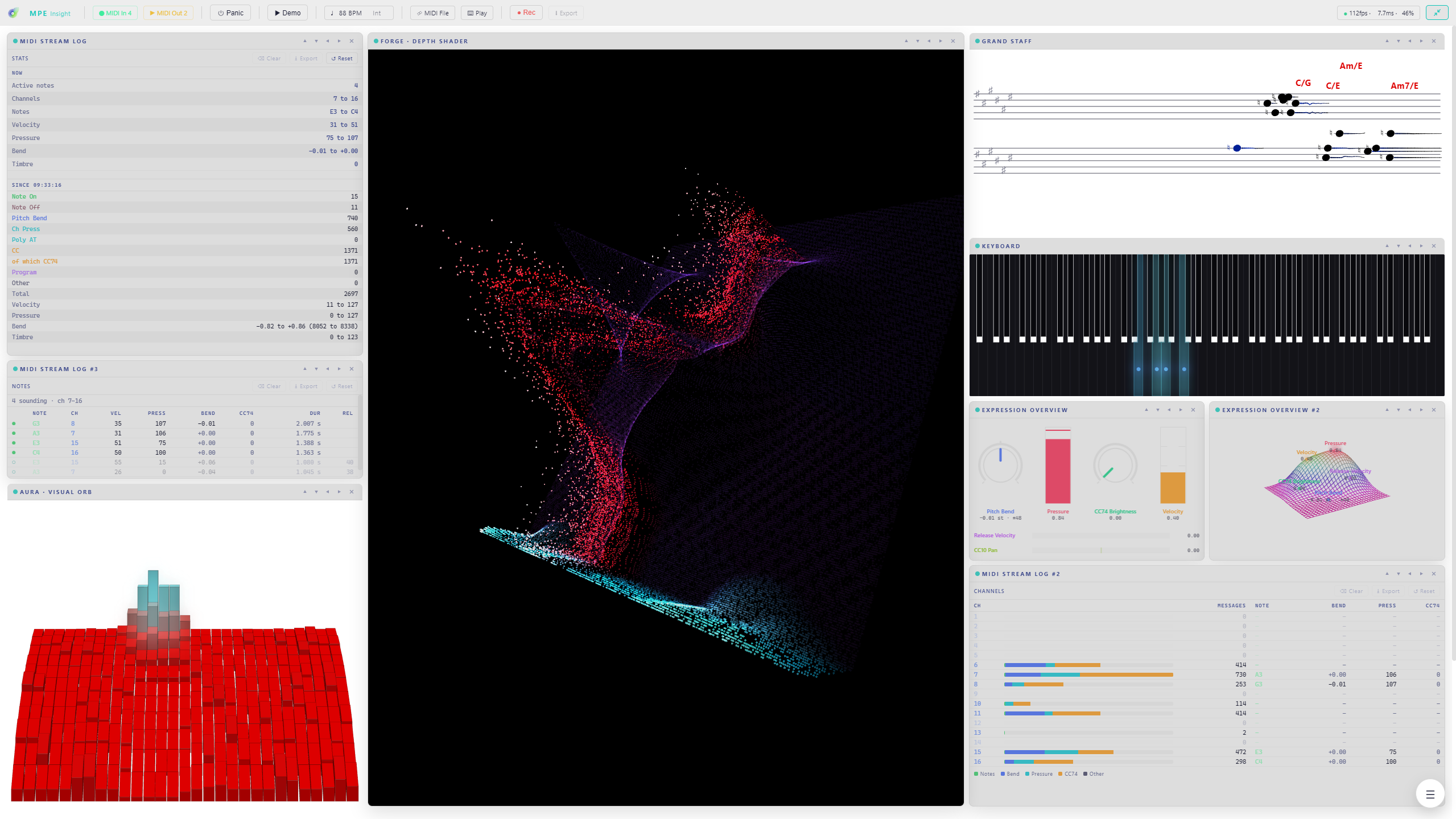
Eleven AURA panels side by side, each running a different style: a black hole with a bright accretion disc, a blue tiled tunnel seen from inside, a pane of cracked glass, a block terrain, a stack of glass slabs, a tonewheel dial and a scatter on white. One FORGE panel filling the whole window: a figure rebuilt as a cloud of cyan and violet points, throwing light rays across a dark room, with a magenta ground line running along the bottom. A full workspace: Grand Staff, PB/Mod, Expression Overview and the MIDI Stream Log down the left, the Keyboard as a pixel grid and a pink AURA network in the middle, and a wide FORGE point cloud on the right. Another workspace: the Stream Log Stats and Notes views on the left under a red AURA block terrain, a red and cyan FORGE point cloud in the middle, and the Grand Staff with chord symbols, the Keyboard and two Expression Overviews on the right. The same modules on a red transparent background for a video overlay: CASCADE note rain on the left, a FORGE point cloud on the right, with the Keyboard, Expression Overview and Stream Log below.
  • Smoke: a real fluid simulation instead of particles. A hard strike blows a circle clear like a stone hitting water, and letting go pulls that displaced smoke visibly back in, exactly where your velocity sent it
  • Shatter: glass with a damage history. Lean on a held key and it gives way in strobe-like jerks, bend a held note and the damage marches sideways across the pane, and only when a knock can find no glass left does the whole sheet go in a white blink
  • Black Hole: two discs of silky orbiting streams around a pure black horizon, crossing along one seam where they trade colors, with the pose set by what you play
  • Tunnel, rebuilt from the ground up: pressure is thrust, a full bend lays the exit out on the horizon left or right, and every strike sends a wave of light down the wall towards you. AURA now holds 27 styles, two presets each
  • The bend wheel moves the whole picture: your notes live on member channels while the wheel sends on the master channel, and the visuals now sum the two the way your synth does. A held chord travels as one while a finger glide beside it still bends only its own note, in semitones rather than wheel positions
  • Stage View: one shortcut clears toolbar, frames and titles, fills the screen with your layout and fades the cursor away. Everything keeps playing, and Esc brings the workspace back exactly as it was
  • DRIFT rebuilt around five lanes instead of four fixed ones: point any lane at Pitch, Pressure or any continuous CC, pick how its voices relate (CHAOS, PARALLEL, ORBIT, SPLIT), and take its rate from the host tempo instead of Hz. The arp got real shuffle, and every readout now names what actually leaves the port rather than where the knob sits
  • Point Cloud grew hands: turn, tip and lean the cloud to any pose and it holds, while Speed keeps a named motion running. The dolly reaches back to -200%, and a source that does not match your panel’s shape is no longer clipped at the picture’s own edge
  • Color key and Hue key on every FORGE effect, not just as a global switch, so one effect can chase brightness while its neighbor holds a place on the picture
  • CASCADE’s Step color driver moves every note one slot along a palette, and repainting the palette recolors the notes already on screen
  • Hold Shift while dragging any slider and the value moves one step at a time, with the centre detents out of the way
  • A consistency pass over every settings panel: each module picks its view the same way, menus line up on one column app-wide, and controls that do not apply right now gray out instead of vanishing
Aug 2026
Take the picture apart, and fly through it
MPE Insight 2.6: FORGE turns the picture into a cloud of points you can fly through and play

FORGE has always turned a picture into a scene you fly through. In 2.6 the picture itself comes apart. Point Cloud rebuilds it as a grid of points and pushes each one into real depth by the depth map, so the Virtual Camera flies between them instead of across a flat plane. And the cloud plays: strike a note and the points inside its disc come at you, pressure holds them out, slide opens the cone wider, pitch bend moves it sideways. Choose hard Dots, soft Splats, or Glyphs that stamp a character per point from a set you type in yourself, so the image comes back written in your own letters. Spin turns the whole cloud on a free axis, winding up while you play and settling back upright in silence. Cells takes the other road and leaves the frame whole, redrawing it cell by cell as ASCII, halftone or dither over any source. Both need WebGL2. And once you are done flying, 2.6 removes the last thing you needed in order to play at all: Typing Keys puts two manuals under your hands on the computer keyboard, so a laptop on a train is enough.

FORGE Point Cloud filling a full workspace: a picture broken into a grid of points with real depth, with CASCADE, the Grand Staff and AURA around it. CASCADE flames beside FORGE Point Cloud, ten impact layers stacked at the key line, under a red transparent background. FORGE Point Cloud with the four MIDI Stream Log views, the Grand Staff and the Expression Overview around it.
  • FORGE Point Cloud: the picture rebuilt as a cloud of points with real depth, to fly through and to play. Hard Dots, soft Splats, or Glyphs that stamp a character per point, from a character set you type in yourself. WebGL2 required
  • Point Cloud Spin: the whole cloud turns on a free axis, with Speed, Axis and Lean, winding up while you play and settling back upright in silence
  • FORGE Cells: the finished frame broken into a grid and drawn cell by cell, as ASCII, Halftone or Dither, over any source. WebGL2 required
  • CASCADE impacts combine: ten independent layers at the key line instead of one choice, so a shower of sparks can sit inside a fountain. An Own color switch gives every armed layer one shared colour, and note ribbons gain a Chrome finish next to Diamond and Glass
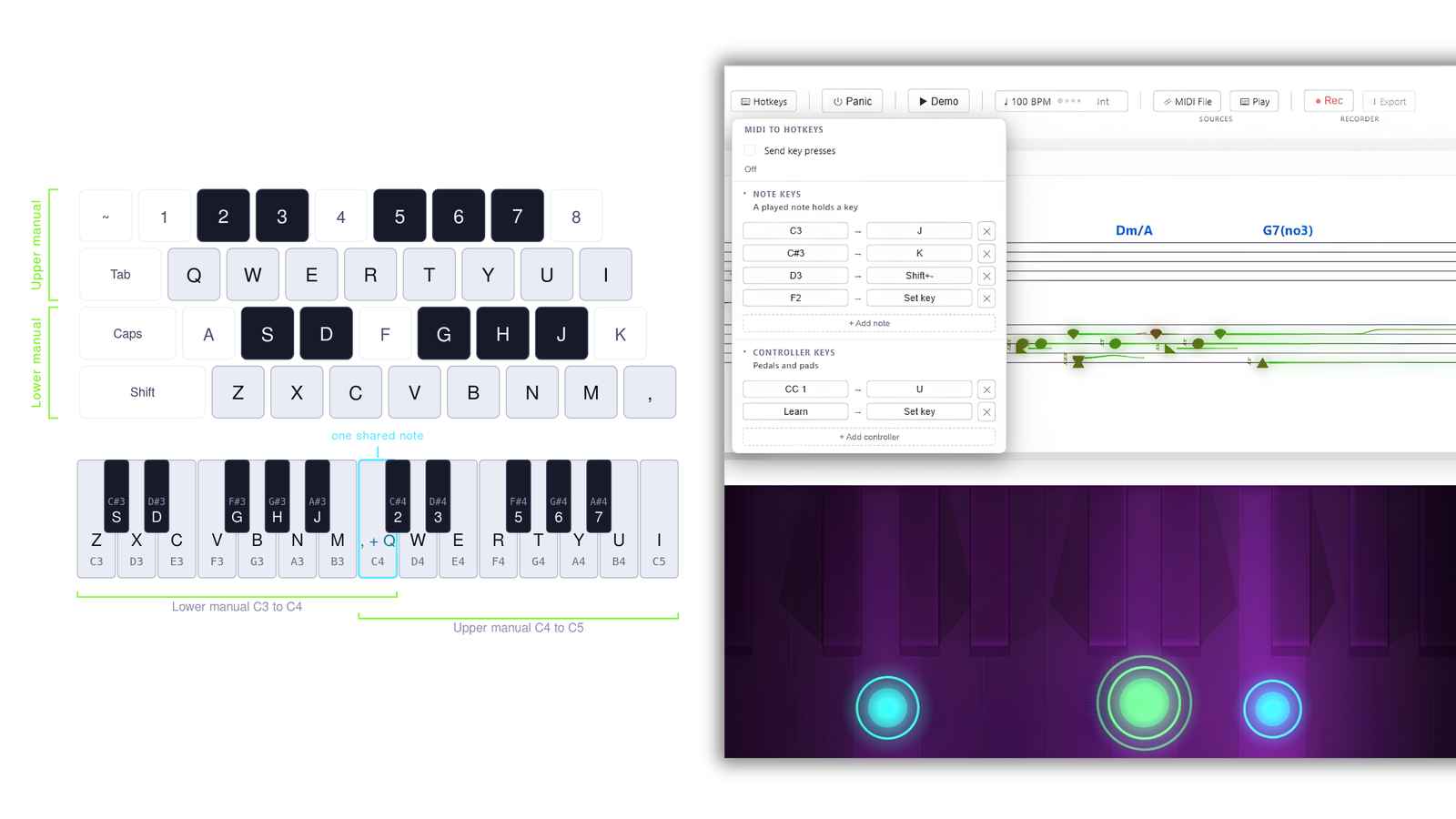
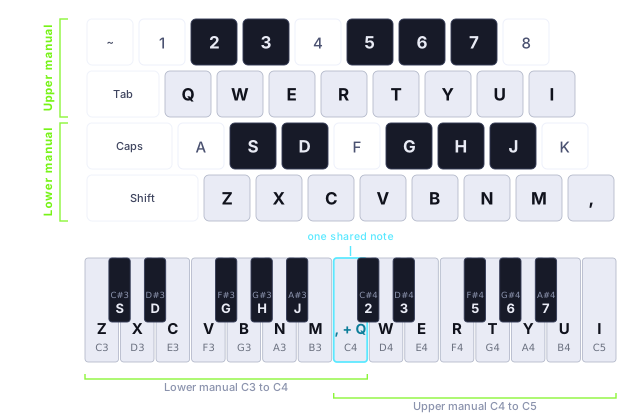
  • Typing Keys: two manuals under your hands, eight white keys each, Q W E R T Y U I over Z X C V B N M , with the sharps on the row above each. Those are key positions, not letters: a QWERTZ or AZERTY board plays the same shapes under the same fingers, and the Keyboard module labels every key with the caps you actually have
  • Space is the sustain pedal, Shift accents a note, and the octave moves with the arrow keys or the numpad plus and minus, far enough that every key of your chosen keyboard size can be reached
  • DRIFT makes it expressive: one click turns every typed note into a full MPE voice with its own pressure, bend and CC74
  • A new Play pill holds both ways to play without a controller, typing and Mouse Mode, and MIDI Out is left to ports and routing
  • Expression Overview gains a fifth mode, Rack: every source drawn as the piece of studio gear you would read it on, and every row lets you pick Auto, Knob, Meter or Bar
  • MIDI Learn now reaches the FORGE Conductor: three more learn slots, Enable, Range and Cycle, so a fader box or a pedal can switch it on and drift its range live, no mouse required
  • The MIDI Stream Log gets four views: Events, Notes, Channels and Stats, every log remembering its own, with eight message types in colours you can edit
  • DRIFT’s power switch belongs to the rest of the app: a preset states it, a snapshot restores it, and Panic switches it off, so a runaway arp cannot restart the problem it just cleared
  • 25 keys as a fourth keyboard size, next to 88, 61 and 49, and the sustain pedal is read properly: switch, continuous, or detected automatically, with an invert for the normally closed ones
  • Global Snapshots reorder by dragging, export or delete only the rows you mark, and ⊘ All Off reaches CASCADE and AURA so a look can start from an empty frame
The two typing manuals on a computer keyboard and the same mapping as a piano: the number row holds the upper manual's black keys above Q to I, the home row holds the lower manual's black keys above Z to comma, and both manuals meet on one shared C4.
The two manuals on your computer keyboard, mapped by physical key position and drawn against the piano they play. That is why QWERTY, QWERTZ and AZERTY all fall under the same fingers.
↗ Read the docs
Aug 2026
Three new AURA styles, and every FORGE effect gets its own hands
MPE Insight 2.5: AURA reaches 24 styles, every FORGE effect gets its own hands, and one clock runs the app

Three additions to AURA, one of which finally has a memory: hold a note in Filament and a glowing thread grows out of it, forks, and fuses with what it touches, so a phrase builds one lit net instead of springing back like every other style. FORGE stops treating its rack as one machine: every effect now carries its own size, its own clock and its own place on the keyboard, so a Glitch can sit under your left hand while a Vortex answers on the right. The camera gets a floor to stand on, so focus and fog measure real distance instead of filtering the picture. And the app finally has one tempo, in the toolbar, where everything that ticks can find it.

  • Block Terrain: a voxel landscape that rises and falls under your playing, with CC74 pulling the ridge toward you
  • Glass Spiral: that same terrain rolled onto a spiral under true perspective
  • Filament: the first style that remembers, a held note grows a glowing thread and the whole net drifts into the depth and dissolves there
  • Every FORGE effect on its own controls: its own size and its own clock, fourteen effects that used to share one global dial. Motion Speed is gone because nothing needs it any more
  • Place each effect where you play it: 12 or 88 keys, centered, or a mapping of its own, chosen per effect instead of once for the whole rack
  • A ground plane in FORGE: the image lies down, and sharpness and fog measure real depth for the first time
  • Kaleidoscope complexity: curved seams, concentric shells and a second offset lattice, all on one dial
  • One clock for the whole app: the internal tempo moves into the toolbar as a single pill, and the Conductor, Glitch and Strobe lock to it or to incoming MIDI Clock
  • A redrawn interface: one slider style everywhere, labels and readouts on a single line, sections that fold as you open the next, and any control that cannot act right now greys out instead of disappearing
  • A Library tab in every module, and the channel filter gets a tab of its own
  • Move modules freely: drag a tile anywhere on the grid and it stays there, shift-drag swaps two
  • Velocity stands in for pressure across every AURA style, so a short strike shows even without aftertouch
↗ Read the docs
Jul 2026
The app explains itself now
MPE Insight 2.3: a guided first launch, and a demo that shows the whole app

On first launch a short clickthrough walks the toolbar and all nine modules, one card each, with the module’s own animation playing next to it. It borrows Demo Mode so there is always something moving, and hands your layout back exactly as it was. Demo Mode itself now cycles the presets of FORGE and DRIFT too, so the whole app is on show and not just the six modules that were cycling before.

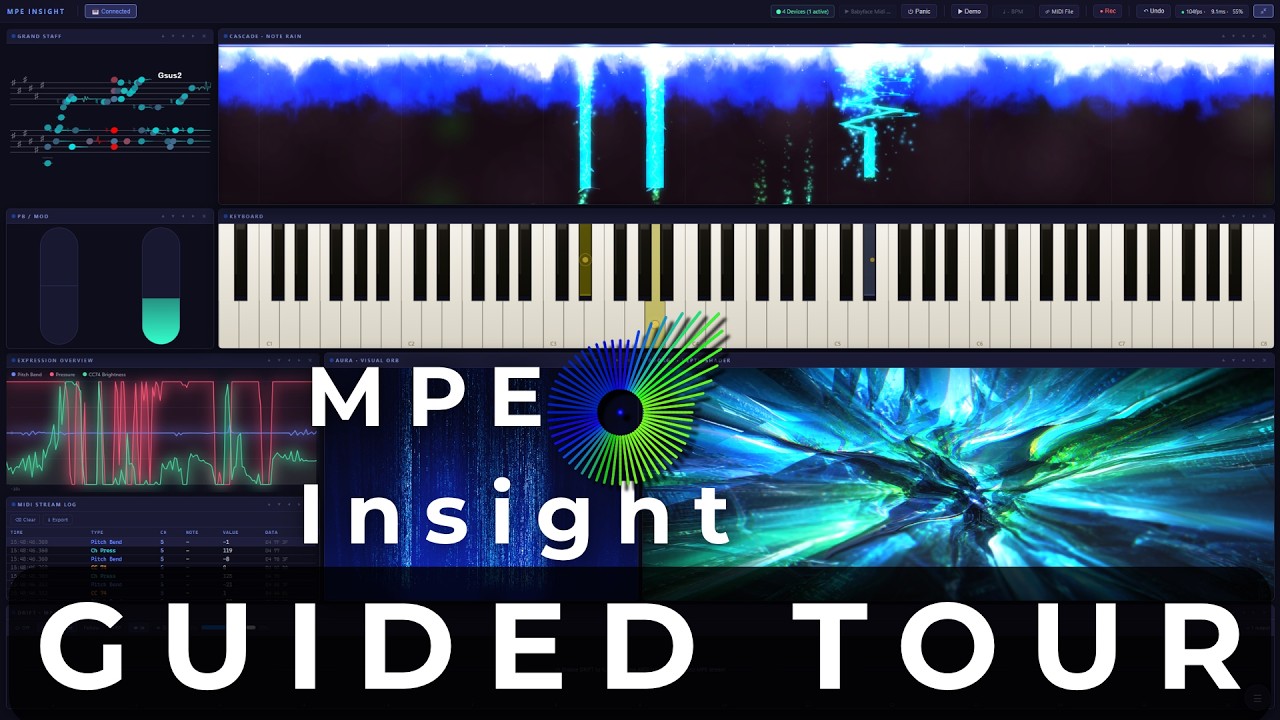
  • Guided Tour: 16 steps on first launch, replayable any time from About
  • Demo Mode shows everything: FORGE cycles its looks as soon as you give it a picture, DRIFT cycles its presets whenever the demo is what it is processing
  • Three new FORGE looks: Tape Deck, Heat Haze and Molten Core
  • DRIFT reaches further: the pitch LFO goes to two full semitones
  • Bends read true: the correct axis in every key, no fold at the edge of the wheel
↗ Watch on YouTube
Play in lightbox
Jul 2026
Weave: read harmony as shape, in every key
MPE Insight 2.2: a new way to read harmony, and your instrument read correctly

The Grand Staff gains a fourth mode in which the staves give way to an interval field: one step right is a fifth, the diagonals are thirds, so every major chord becomes the same triangle in every key and transposing simply moves that shape. Alongside it, a new keyboard design, a new FORGE effect, and a quieter change that touches every module: MPE Insight now reads the pitch-bend range your instrument actually reports instead of assuming a standard.

  • Weave: the fourth Grand Staff mode, chords as geometry on an interval field
  • Pixel Grid: an eighth keyboard design, a lit LED raster in three layouts
  • Retro Pixel VHS: a new FORGE pass with scanlines, phosphor dots and chroma tear
  • Reads your instrument: every bend is drawn at its true size, from the range your controller reports
  • Chords played on a single MIDI channel now show correctly in every module
↗ Read the docs
Jul 2026
Combine your modules: route any visualizer into FORGE
MPE Insight 2.1: feed your visualizers into FORGE

2.1.0 connects the modules: pipe Cascade, Aura, the Grand Staff, Expression or the Keyboard straight into FORGE, one at a time or blended together, and reshape them with FORGE’s full effect chain.

  • Any module as a source: Cascade, Aura, Grand Staff, Expression and Keyboard now feed FORGE
  • Single feed or multi-source blend: layer several visualizers into one composited look
  • Drive the whole chain live with velocity, pitch bend and pressure
↗ Watch on YouTube
Play in lightbox
Jul 2026
The three new visualizers: Cascade, Aura & Forge
MPE Insight 2.0: the new visualizers, explained

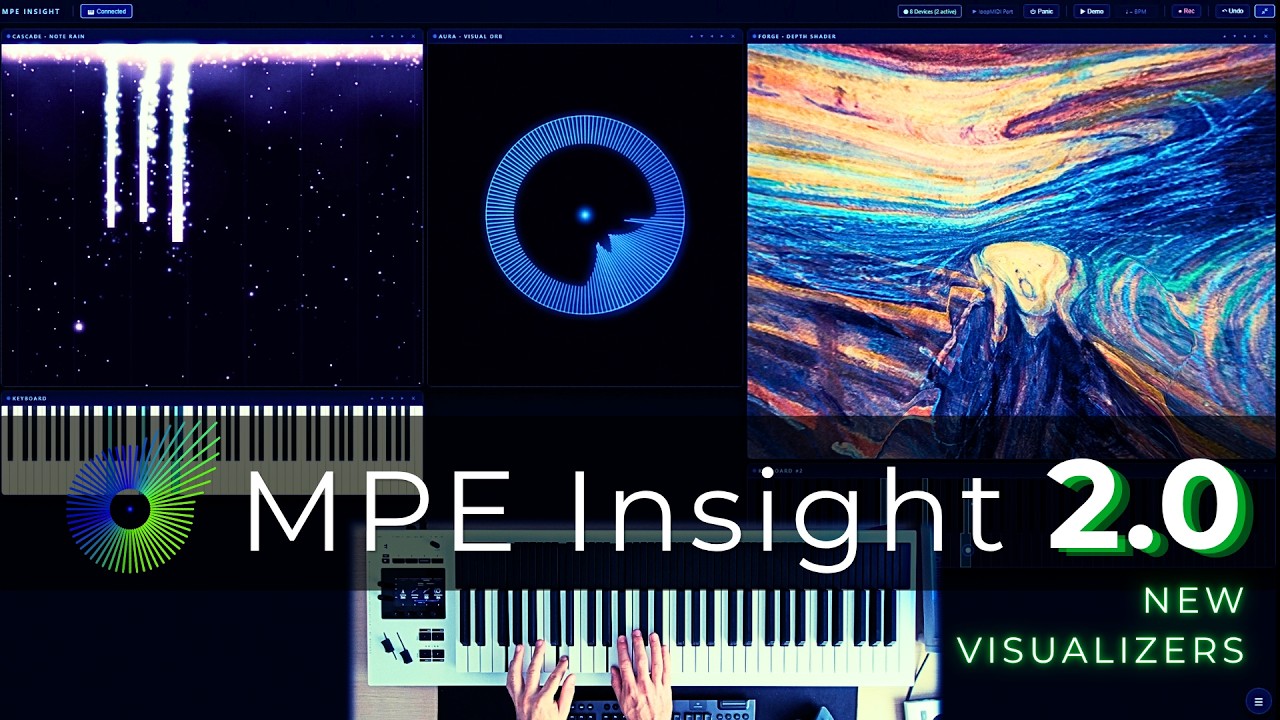
A two-minute tour of the three new visualizers in Update 2.0.0, plus the Transparent Background mode that lets you stack them into one image.

  • Cascade: a piano roll unlike any other, visualizing expressive MPE data in real time
  • Aura: one gesture, endless looks, from calm and organic to fully abstract
  • Forge: drop in your own image and drive it live with velocity, pitch bend and pressure
  • Transparent Background: stack Cascade, Aura and Forge on top of each other for wild, one-of-a-kind combinations
↗ Watch on YouTube
Play in lightbox
Jul 2026
Cascade module: new Grid Mode
MPE Insight 2.0 · Cascade Grid Mode 🎵

The new Grid Mode has arrived in the Cascade module of MPE Insight 2.0.

  • A falling-block inspired layout for the Cascade module
  • … and yes, it only felt right to play that iconic melody 🎹
↗ Watch on YouTube
Play in lightbox